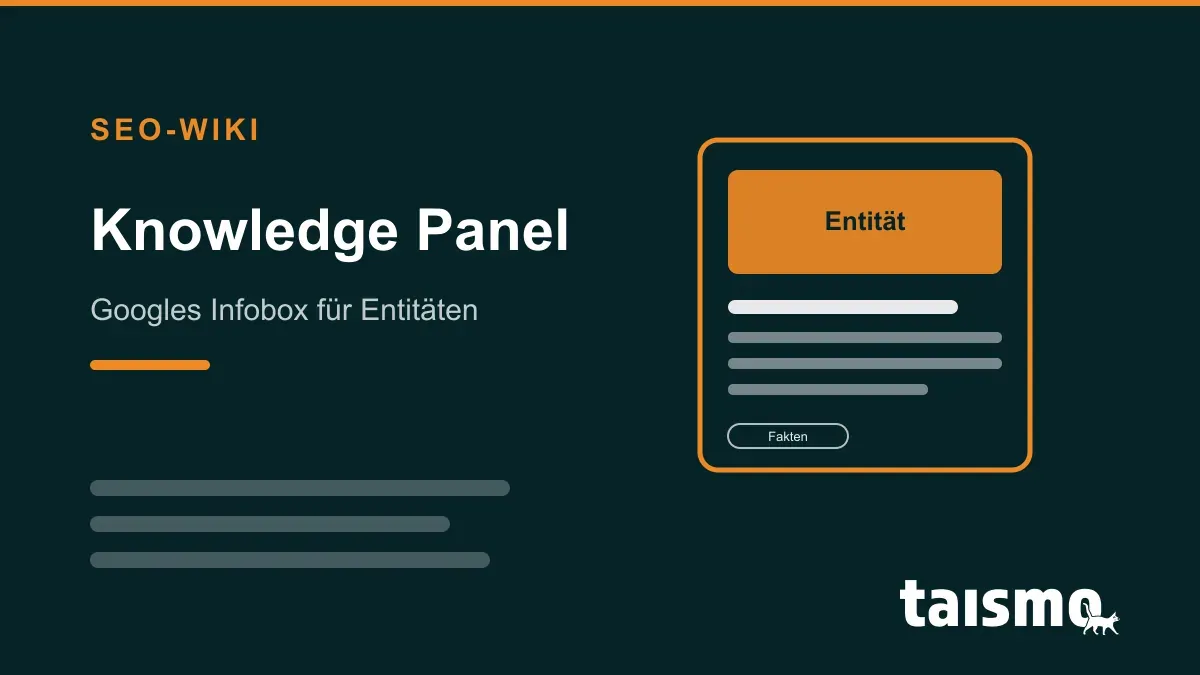
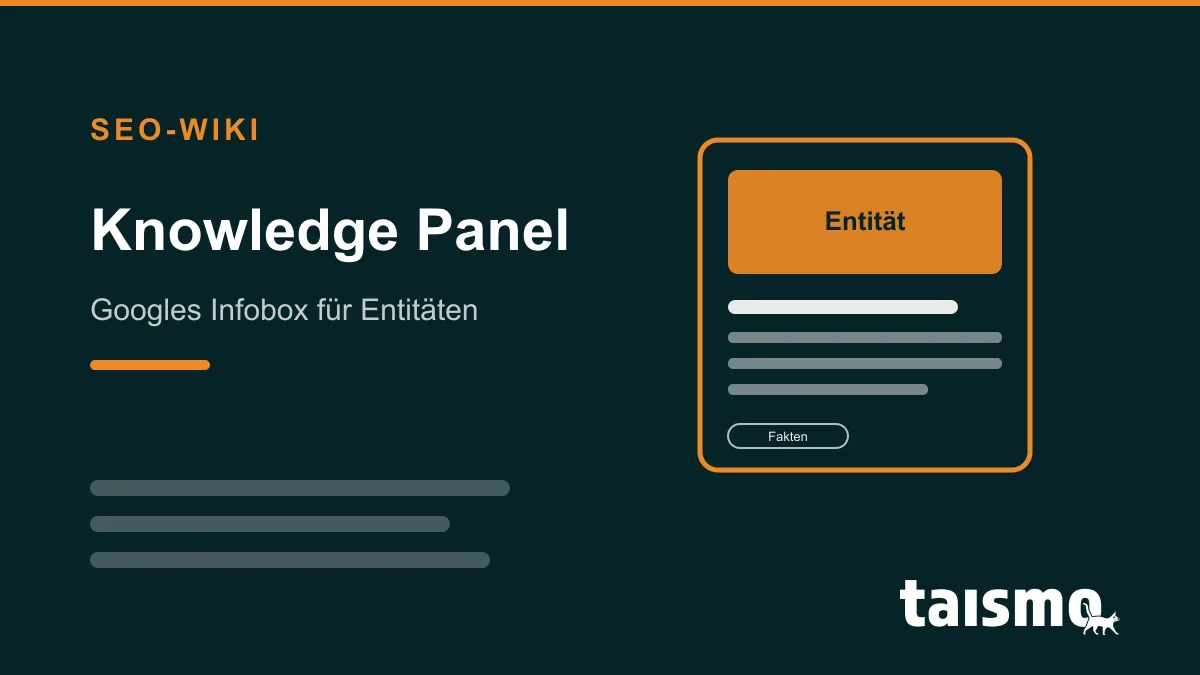
A knowledge panel is the info box that Google displays next to the search results (above the result list on mobile) and that bundles the facts about a clearly identified entity: a person, a company, a place, or a brand. The data comes from the Google Knowledge Graph. A knowledge panel cannot be booked; it appears when Google identifies an entity with confidence and can attach enough verified information to it.
Where does the knowledge panel get its data?
The knowledge panel does not show the content of a single web page but a compilation from multiple sources. Google names 4 main inputs: structured databases such as Wikidata and Wikipedia, licensed data partners (for song lyrics or sports data, for example), the Google Business Profile for local businesses, and the information a website itself makes machine-readable through structured data.
All of these inputs converge in the Knowledge Graph, Google’s knowledge base of real-world things and their relationships. According to Google (as of 2020), the Knowledge Graph contains more than 500 billion facts about 5 billion entities. The more consistently the sources deliver the same information, the more confidently Google adopts it into the panel.
Knowledge panel vs. Knowledge Graph: what is the difference?
Knowledge Graph vs. knowledge panel: the Knowledge Graph is the database in the background, the knowledge panel is its visible output in the search results. The graph stores entities and their relationships (“taismo is an SEO agency based in Munich”); the panel formats a subset of these facts as an info box next to the result list. An entity can exist in the Knowledge Graph without Google already showing a panel for it.
Fig. 1: The Knowledge Graph feeds the knowledge panel next to the search results.
How does your business get a knowledge panel?
The path to your own knowledge panel is classic entity SEO and runs through 4 steps:
Step 1: Define your entity in machine-readable form. A clean Organization schema with sameAs references to all official profiles gives your entity a unique digital fingerprint.
Step 2: Keep your data consistent everywhere. Name, address, founding year, and service description must match word for word across your website, profiles, and directories.
Step 3: Build external evidence. Entries in Wikidata, industry directories, and press mentions provide the independent confirmation Google requires for inclusion.
Step 4: Maintain your Google Business Profile. For local businesses, the Business Profile feeds the local panel directly.
A knowledge panel pays off twice: it demonstrates trustworthiness in the sense of E-E-A-T and makes your brand tangible for AI systems that evaluate the same entity data. This entity work is exactly what sits at the core of our GEO services for AI visibility.
Can you claim and edit a knowledge panel?
Yes, claiming is possible; editing directly is not. Through the feature “Claim this knowledge panel” you verify yourself as the owner of the entity. After that, you can suggest changes to facts, images, and descriptions; Google makes the decision based on the source situation. Stubborn errors therefore only disappear once the underlying sources have been corrected.
Frequently asked questions about the knowledge panel
Does every business get a Google knowledge panel? No. Google only generates a knowledge panel for entities it can clearly identify and fill with verified facts. Small businesses get there fastest with a well-maintained Google Business Profile, consistent company data, and a clean Organization schema.
Does a knowledge panel cost anything? No. The knowledge panel is an organic search element. Google shows it automatically as soon as the data is sufficient; it cannot be bought or booked.
Why does my knowledge panel show incorrect information? Google pulls the facts from external sources such as Wikidata, Wikipedia, directories, and your website. If these sources contradict each other, Google sometimes adopts outdated information. The way to correct it: clean up the sources, claim the panel as the owner, and suggest changes via the feedback function.
AI crawlers are programs that fetch web pages automatically to collect content for AI systems. They serve three purposes: training language models, building the search index of AI search systems, and fetching individual pages live during a user request. Well-known AI crawlers are GPTBot and OAI-SearchBot from OpenAI, ClaudeBot from Anthropic, and PerplexityBot.
Which AI crawlers exist?
Six identifiers appear most often in log files and robots.txt discussions:
Identifier
Operator
Purpose
GPTBot
OpenAI
Collects content for training the GPT models
OAI-SearchBot
OpenAI
Builds the index of ChatGPT search
ChatGPT-User
OpenAI
Fetches pages live when a user asks for them in ChatGPT
ClaudeBot
Anthropic
Collects content for training the Claude models
PerplexityBot
Perplexity AI
Builds the search index of Perplexity
Google-Extended
Google
Not a crawler of its own but a control token: governs whether your content is used for training the Gemini models
Unlike a classic crawler such as Googlebot, many of these bots do not work for a search index but for a language model. That is exactly why it pays to check the purpose of each identifier before blocking it.
How do you control AI crawlers via robots.txt?
You control AI crawlers like any bot through the robots.txt in the root directory of your domain. Every rule applies exactly to the named identifier:
This example forbids OpenAI from collecting content for model training and at the same time allows inclusion in ChatGPT search. Important for your expectations: robots.txt is an instruction, not a barrier. Reputable providers comply, rogue scrapers do not.
Fig. 1: Three OpenAI crawlers, three independent switches: GPTBot only controls training, OAI-SearchBot controls ChatGPT search, ChatGPT-User controls live retrieval.
Why does blocking GPTBot not remove you from ChatGPT search?
Because GPTBot and OAI-SearchBot are independent switches. OpenAI documents the separation explicitly: each bot only controls its own purpose, and a site owner can allow OAI-SearchBot while disallowing GPTBot. In practice this means:
GPTBot blocked, OAI-SearchBot allowed: Your content does not flow into model training, but your website still appears in the answers of ChatGPT search.
OAI-SearchBot blocked: According to OpenAI, your website is no longer shown in ChatGPT search answers, regardless of what applies to GPTBot.
ChatGPT-User: Fetches pages on direct user request. Because the action is initiated by a human, robots.txt rules may not apply here according to OpenAI.
The common shortcut “block GPTBot = out of ChatGPT” is therefore wrong in both directions: the training block costs no visibility in AI search, and whoever wants to disappear has to hit the right switch.
Should you block or allow AI crawlers?
For most companies the answer is: Allow them, at least the search crawlers. Answers from ChatGPT, Perplexity, and AI search are a growing visibility channel; blocking OAI-SearchBot or PerplexityBot means giving up mentions and source links. A training block via GPTBot or Google-Extended is a separate decision, for example for exclusive content.
If you allow AI crawlers, you can make their work easier: an llms.txt summarizes the most important pages of a domain as a briefing, and citably structured content raises the chance of being mentioned. Both belong to Generative Engine Optimization (GEO) and are the core of our optimization for AI visibility.
Frequently asked questions about AI crawlers
Is Googlebot an AI crawler?
No. Googlebot is Google’s classic search crawler; its data, however, also feeds AI Overviews and AI Mode. For training the Gemini models, Google offers a separate robots.txt switch called Google-Extended, which does not affect Google Search.
Do AI crawlers respect robots.txt?
Major providers such as OpenAI, Anthropic, and Google document their crawlers and state that they respect robots.txt. The file is not a technical barrier, though: rogue bots ignore it. If you want to protect content strictly, you need server-side blocks.
How do I recognize AI crawlers in my log files?
By the user agent: identifiers such as GPTBot, OAI-SearchBot, ChatGPT-User, ClaudeBot, or PerplexityBot appear in the user agent string of every request. The providers also publish IP lists that let you distinguish real crawlers from impostors.
AI search refers to search systems that answer queries directly with generative AI instead of only showing a list of links. A language model condenses content from the web into a coherent answer and links the sources it used. AI search includes AI Overviews and AI Mode in Google Search, ChatGPT search, Perplexity, and Gemini.
AI summary that appears automatically above the classic search results
AI Mode
Google
Dedicated chat mode inside Google Search, rolled out internationally since 2025
ChatGPT search
OpenAI
AI assistant with built-in web search and source links
Perplexity
Perplexity AI
AI search engine that backs every statement with citations
Gemini
Google
AI assistant with direct access to Google Search
Copilot
Microsoft
AI assistant built on the Bing index
All six systems work on the same principle: a search index delivers the facts, a language model writes the answer.
How does AI search work?
AI search combines a classic web search with a language model. The process follows four steps:
Break down: The system splits the query into subquestions. Google calls this technique “query fan-out” in AI Mode.
Retrieve: The subquestions run against a search index; the most relevant pages are loaded as context.
Write: A large language model composes a coherent answer from the results.
Cite: The pages that were used appear as source links in or next to the answer.
This interplay of live retrieval and language model is called Retrieval-Augmented Generation (RAG). It anchors the answer in current web content and reduces invented claims.
Fig. 1: AI search as a loop: the query is broken down, a search index delivers results, and the language model writes the answer with sources.
What sets AI search apart from classic Google Search?
Classic search delivers links, AI search delivers answers. Three shifts follow from that:
Mention instead of position: Success no longer means ranking first in a list, but being cited as a source in the answer.
Dialog instead of single queries: Follow-up questions keep the conversation context; a search becomes a session.
Fewer but better clicks: Many queries end without a website visit, a trend described by zero-click search. Those who still click arrive with concrete intent.
The foundation stays connected: AI search systems draw from the same indexes as classic search. What cannot be crawled and indexed cannot feed an AI answer either.
How does your website become visible in AI search?
Visibility in AI search comes from content that a language model can understand, extract, and cite. Four levers work across all systems:
Citable answers: Every important question gets a self-contained answer in the first sentence of its section.
Clear entities: Unambiguous statements about your brand, people, and services make your content identifiable as an entity.
Structured data:Structured data in JSON-LD format delivers facts in machine-readable form.
Accessibility for AI crawlers: The crawlers of AI systems must be allowed to fetch your pages; blocked content never appears in an answer.
Does AI search replace classic Google Search?
No. The classic search results remain and provide the foundation: AI search systems build their answers from the results of a search index. The share of directly answered queries keeps growing, though.
Is AI search the same as AI Overviews?
No. AI Overviews are one form of AI search: the automatic AI summary above Google’s search results. AI search also includes AI Mode, ChatGPT search, Perplexity, Gemini, and Copilot.
Where do AI search systems get their information?
From two sources: the training knowledge of the language model and a live search index. For current questions, the systems fetch web pages at runtime and link them as sources.
Can I measure whether AI search brings visitors?
Partially. ChatGPT and Perplexity send a recognizable referrer that shows up in web analytics. Google, however, does not report clicks from AI Overviews and AI Mode separately; they count toward the normal search data.
AI SEO is the umbrella term for search engine optimization around artificial intelligence. It covers two fields of work: optimizing content for AI search systems such as ChatGPT, Perplexity, and Google’s AI answers, and using AI tools in SEO work itself. The technical terms for the first field are GEO, LLMO, and AEO; AI SEO is the everyday umbrella word that bundles them.
What are the two meanings of AI SEO?
AI SEO has 2 meanings that are often mixed up in everyday use:
Visibility in AI systems: preparing content so AI search systems understand, cite, and recommend it. The goal is being named in the AI answer, just as classic SEO targets a position in the search results.
SEO with AI tools: using AI in day-to-day SEO work, for example for keyword research, content drafts, data analysis, or automation. When AI agents plan and execute such tasks on their own, this is called Agentic SEO.
When people say “AI SEO”, they usually mean the first meaning. That is exactly where dedicated technical terms have emerged.
How do AI SEO, GEO, LLMO, and AEO differ?
All four terms describe the same goal: preparing content so AI systems understand, cite, and recommend it. They differ in perspective and adoption:
Term
Long form
Perspective
AI SEO
AI search engine optimization
Colloquial umbrella term from everyday usage, not a defined technical term
Older term focused on answer engines, originally also featured snippets and voice assistants
Add to that GAIO (Generative AI Optimization), a synonym for GEO used mainly in German-speaking markets. For everyday practice: you do not have to commit to one school of thought, because the measures behind them are largely identical.
Fig. 1: AI SEO as the umbrella term: visibility in AI systems (GEO, LLMO, AEO, GAIO) and SEO with AI tools.
What does optimizing for AI search systems involve?
Optimizing for AI search systems works with 6 levers:
Quotable statements: definitions, numbers, and comparisons written as standalone sentences an AI can quote verbatim.
Clear entities: your brand, people, and services as unambiguous entities with consistent data across all channels.
Structured data:structured data in JSON-LD format that makes facts and relationships machine-readable.
Topical authority: covering a topic area completely instead of building isolated keyword pages (topical authority).
Access for AI crawlers: not locking out crawlers like GPTBot or PerplexityBot by accident; optionally providing an llms.txt as a curated briefing.
Measurement: regularly checking whether and how AI systems mention your brand for relevant questions.
Does AI SEO replace classic SEO?
No. AI SEO builds on classic search engine optimization and does not replace it. AI search systems draw their sources mostly from search indexes: Google’s AI answers such as AI Overviews tap into the Google index, while ChatGPT and Perplexity run their own web searches. A page that runs technically clean, can be crawled, and ranks well organically therefore also has the best chances of being cited by AI.
In practice this means: AI visibility is not a separate product but a building block of modern SEO services. The GEO service page shows how AI visibility optimization works in detail.
Frequently asked questions about AI SEO
Is AI SEO an official technical term? No. AI SEO is a colloquial umbrella term that people actually search for. In the professional literature, GEO, LLMO, and AEO have become the established terms.
Which AI systems matter for AI SEO? The most important ones are ChatGPT, Perplexity, Google Gemini including AI Overviews and AI Mode, and Microsoft Copilot. Which of them count for you depends on where your target audience searches.
Does it hurt my ranking when AI systems cite my content? No, a citation is not a downgrade. It can cost clicks when the AI answer covers the question completely, but it brings brand contacts and qualified visitors who follow the answer to its source.
How do you measure AI visibility? Through repeated, stored measurements: a monitoring setup asks the relevant AI systems the same questions and logs whether and in what context your brand is mentioned. One-off manual spot checks are not reliable, because AI answers vary.
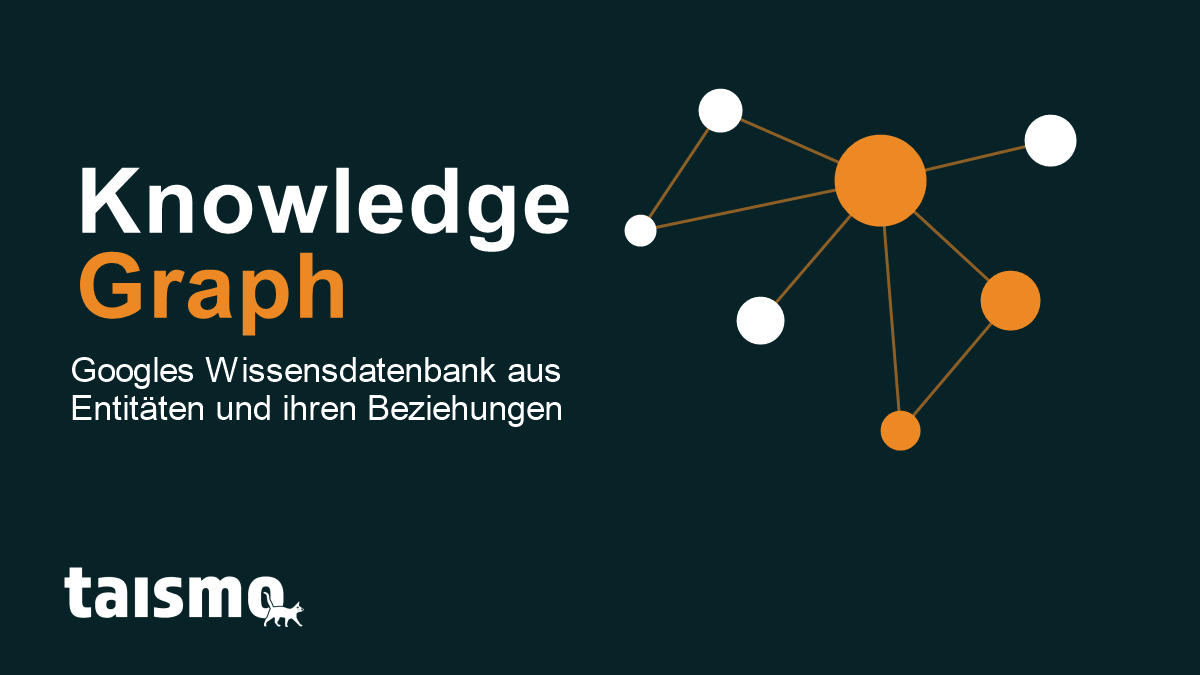
The Knowledge Graph is Google’s knowledge base, which stores real world things (people, places, organizations and concepts) as entities and links them through their relations. Google uses this knowledge graph to understand the meaning behind a search query, to fill Knowledge Panels with facts and to back up AI answers such as AI Overviews. Instead of matching plain character strings, Google recognizes which real object is meant. Google calls that principle “things, not strings”.
Google launched the Knowledge Graph on May 16, 2012. It turned search from a pure text match into an understanding of entities. If you ask “How tall is the Eiffel Tower?”, Google hands you the answer directly, because it knows the Eiffel Tower as an entity with the property “height: 330 meters” and not as a string of letters.
The term at a glance
Attribute
Detail
Type
Semantic knowledge base (entity graph)
Operator
Google
Launch
May 16, 2012
Core principle
“things, not strings”, meaning things instead of character strings
Data sources
Wikipedia, Wikidata, Google Business Profile, structured data and the open web, among others
Scale
according to Google around 500 billion facts about 5 billion entities (as of 2020)
The Google Knowledge Graph is how the idea of a knowledge graph is put to work inside the Google ecosystem. At launch, Google described it as a database holding 500 million objects and more than 3.5 billion facts about the relations between those objects. Every entity, whether a person, a city, a company or a movie, receives a unique machine ID plus a set of attributes and connections.
The word “graph” comes from computer science: a graph consists of nodes (the entities) and edges (the relations). The director Christopher Nolan is one node, the movie “Inception” is another, and the edge between the two carries the relation “directed”. Exactly this web of facts is what makes search interpretable for Google.
Fig. 1: The Knowledge Graph stores things as entities (nodes) and connects them through named relations (edges).
How does the Knowledge Graph work and where does the data come from?
The Knowledge Graph works by collecting facts from many sources, condensing them into entities and connecting them through relations. At launch, the graph drew above all on Freebase, an open knowledge base that Google took over in 2010 with the acquisition of Metaweb, and on Wikipedia and the CIA World Factbook.
Freebase was shut down in 2014 and the data was migrated to Wikidata by 2016. Today the most important sources of the Knowledge Graph are:
Wikipedia and Wikidata: the structured base of facts for many well known entities.
Structured data on websites:structured data following schema.org, usually in the JSON-LD format, hands Google machine readable facts straight from the source.
Google Business Profile: the central source for company and location entities.
The open web: matching statements across many trustworthy sites confirm a fact.
Google stated that by 2020 the Knowledge Graph had grown to around 500 billion facts about 5 billion entities. Every entity carries a unique identifier (machine ID) so that Google reliably keeps “Mercury” the planet, the chemical element and the Roman god apart. Through the Knowledge Graph Search API, developers can query these entities together with type and description.
What is a Knowledge Panel?
A Knowledge Panel is the information box that Google fills from the Knowledge Graph and shows in the search results. On desktop it appears to the right of the results, on a smartphone at the top. When you search for a well known person, a company or a place, the panel bundles the most important facts: photo, short description, year founded, address, social media profiles and related entities.
The difference matters: the Knowledge Graph is the database in the background, the Knowledge Panel is its visible output on the search engine results page (SERP). There is no panel without a matching entity in the graph. Anyone who owns a panel can claim it with Google after an identity check and suggest corrections.
Fig. 2: Data sources feed the Knowledge Graph, which in turn supplies the Knowledge Panel and AI Overviews with facts.
Knowledge Graph vs. Knowledge Vault: what is the difference?
Knowledge Graph and Knowledge Vault differ in the way they gather facts. The Knowledge Graph leans heavily on curated, structured sources such as Wikidata and vetted databases. The Knowledge Vault was a research project that Google presented in 2014 to extract facts from the entire web fully automatically.
Knowledge Graph: builds on reliable, in part manually maintained sources. The facts are curated and fairly robust.
Knowledge Vault: used machine learning to pull facts out of unstructured web text and gave every fact a confidence value. With that method the research team collected around 1.6 billion facts.
The Knowledge Vault was never shipped as a product of its own. Its idea, winning facts from the web automatically and weighting them with confidence values, has fed into the further development of Google’s knowledge systems. In short: the Knowledge Graph is the productive knowledge base, the Knowledge Vault was the research approach for filling it automatically.
How do you get into the Knowledge Graph?
You get into the Knowledge Graph by convincing Google that you are a clearly identifiable, well documented entity. An entry cannot be bought, it can only be earned through consistent signals. Five levers decide it:
Mark up the entity with structured data: an Organization or Person schema with sameAs references to your profiles bundles the identity for Google.
Aim for a Wikipedia or Wikidata entry: both are central trust sources of the graph, and a Wikidata item is often the first anchor point.
Maintain the Google Business Profile: for companies and local branches this is the direct line into the Knowledge Graph.
Keep the details consistent: name, address and core facts have to be identical across your website, social media and directories.
Build authoritative mentions: mentions and links from trustworthy sites confirm the entity.
This entity work is a fixed part of modern SEO services: whoever is cleanly defined as an entity has the best chances of a Knowledge Panel of their own and of being mentioned in AI answers.
What does the Knowledge Graph mean for SEO and GEO?
The Knowledge Graph moves SEO from keywords toward entities. Google increasingly ranks and interprets content by which real world things it describes and how those things relate to each other. Entity based SEO therefore aims to anchor your own brand, its people and its topics as clearly recognizable entities in the graph.
For Generative Engine Optimization (GEO) the Knowledge Graph is even more fundamental. AI systems and AI Overviews base their answers on verified entities and facts in order to avoid hallucinations. Whoever stands in the Knowledge Graph as a solid entity is more likely to be picked up as a source by AI answers. Structured data and a clean entity profile are therefore the bridge between classic search and AI visibility.
Frequently asked questions about the Knowledge Graph
Is the Knowledge Graph the same thing as the Knowledge Panel? No. The Knowledge Graph is Google’s knowledge base in the background, the Knowledge Panel is the visible information box that Google builds from that database in the search results.
Can I buy an entry in the Knowledge Graph? No. An entry cannot be bought. Google only takes entities in when there are enough consistent and trustworthy signals, for example structured data, a Wikidata item and matching details across the web.
How long does it take to get into the Knowledge Graph? It usually takes several weeks to several months. The time frame depends on how strong and how free of contradictions the entity signals are and how often Google reprocesses the sources involved.
Keyword stuffing is an outdated black hat SEO practice in which one chosen keyword is packed into the text of a website as often as possible, with the aim of reaching the highest possible ranking for that keyword in search engines. The name says it plainly: to stuff means to cram or to fill.
Why did keyword stuffing improve rankings in the past?
The algorithms behind search engines such as Google used to be far less clever than they are today. One of the criteria for good rankings was how often certain terms showed up in the text of a page, measured as a percentage: the keyword density. To push that percentage up artificially, a search term was worked into the text as often as it would go.
Search engines such as Google have come a long way since the 2000s and now spot keyword stuffing quickly.
What are the consequences of keyword stuffing for SEO?
Search engines such as Google have been spotting keyword stuffing since the 2000s and penalize websites in the rankings for it, because pages like these rarely offer any value to the people reading them. Next to a penalty or a complete removal from the index, keyword stuffing usually leads to a poor user experience: packing the keyword in again and again makes the text hard to read, and there is little room left for anything worth reading.
Keyword cannibalization describes a situation in online marketing in which several pages of one website compete for the same or very similar keywords. These pages end up taking rankings away from each other in the search results. Instead of one page ranking well for a keyword or a keyword group, the search engine has to pick the most relevant page from several pages on the same domain. That can lead to a weaker ranking and reduce the visibility of the pages involved.
How do you spot keyword cannibalization?
Spotting keyword cannibalization takes a close look at your own website. One warning sign is fluctuation in the ranking for a given keyword, where different subpages of your own domain (different URLs) take turns showing up. A second method is to use SEO tools that let you monitor the rankings for a given keyword and check which pages rank for it. If several pages rank for the same keyword and keep swapping places in the search results, that is a clear sign of cannibalization.
What are the consequences of keyword cannibalization for SEO and the ranking of my website?
Diluted page ranking: When several pages compete for the same keyword, none of them may reach a strong ranking. Search engines can struggle to decide which page is the most relevant, which lowers the chance that any of these pages takes a top position in the search results.
Distorted analytics and data interpretation: Keyword cannibalization can make it harder to get accurate data on which pages actually perform best. That affects your reading of traffic, conversion rates and other important metrics.
Wasted crawl budget: Search engines assign every website a limited crawl budget. If a search engine crawls several pages with similar content, that budget gets used up, so pages may not be crawled as often or as thoroughly.
Weakened link equity: External links that point to different pages with similar content spread the link equity across them instead of concentrating it on one single, stronger page. That reduces the effect of the backlinks and can shrink your ranking potential.
User experience and conversions: Several pages with similar content can confuse visitors and hurt the user experience. The result is often a shorter time on page, higher bounce rates and, in the end, fewer conversions.
Internal competition: When departments or teams inside a company work independently of each other, cannibalization can happen by accident, because different teams may target similar keywords without coordinating.
How do you prevent keyword cannibalization?
To avoid keyword cannibalization, you need a clear keyword strategy. Every page should be optimized for a specific set of keywords that does not overlap with the target keywords of your other pages. It helps to rework the content and the meta tags, meaning the title and the description, so that each page clearly points at one topic or one keyword. Internal linking is the second lever: use it deliberately to signal to search engines which page is the most relevant one for a given keyword. Regular reviews and adjustments to your SEO strategy are what keep cannibalization from creeping back in. Which of your pages compete with each other, and which one should win, is one of the questions an SEO audit answers.
A keyword is the word or phrase a user types into a search engine such as Google to find information on a specific topic. Keywords are also called search terms or search queries, and their weight for Google is enormous. As soon as someone enters one, the algorithm of the search engine starts up and builds a search results page (SERP) for that query. Those algorithms are built to return the most relevant and highest quality results: they scan thousands of websites, analyze the search terms used there and rate the relevance and the quality of the texts by those word groups.
Why keywords matter for SEO
Relevant keywords play a decisive role in search engine optimization (SEO) and in online marketing. They help you understand the needs and the search behavior of your target audience, so you can align your content with what those people are interested in. Choosing and placing the right keywords can substantially improve how visible a website is in the search results and therefore bring in more traffic. On top of that there are different categories of keywords, such as transactional, informational or navigational search terms, which each mirror a different user intention and should be taken into account when you build content for them. To get the most out of keywords, specialized tools for keyword research are indispensable. They give you valuable insight into the terms that are used most often and into how competitive those terms are, which is the basis of a working SEO strategy.
Keyword research tools and what they do
A keyword research tool is a standard instrument in search engine optimization, built to research relevant keywords and word groups that make a website more visible in the search results. Tools of that kind, such as the Google Keyword Planner or Mangools (formerly known as KWFinder), offer a broad set of functions for keyword analysis. They let you generate ideas for relevant search terms that potential customers may use to find content such as products or services online.
Strategic use and benefits of research tools
These keyword research tools analyze not only the search volume and the relevance of keyword combinations, but also the competition for those terms. By identifying keywords that are highly relevant and at the same time less contested, you can build a strategy that lets you get past the competition. The tools also help you spot trends and patterns in how users search, which in turn helps you optimize the content on your website in a targeted, user oriented way. The result is a better user experience and a higher conversion rate, because you work with exactly the terms that fit the search intent, which raises the chance that searchers click your page or your campaign.
The Google Keyword Planner as one of the most important research tools
The Google Keyword Planner is a specialized keyword research tool inside Google Ads that plays a central role in search engine optimization. It lets you discover new keyword ideas and gives you insight into what users of search engines actually look for. The tool analyzes several aspects of a keyword, such as the monthly search volume, the density of competition and the expected cost per click (CPC) in Google Ads. With the Keyword Planner, SEO specialists and online marketers can judge the relevance and the potential of different keyword combinations and word groups effectively. The resulting data supports strategic decisions: you optimize the content of a website so that it matches the needs and search intentions of your target audience more closely. That does not only raise visibility in the search results, it also lets you analyze and monitor the competition, which in the end leads to a more efficient and more targeted marketing strategy.
Keyword categories and search intent
In online marketing, the categorization of keywords is an essential strategy for understanding the search intentions of users and shaping content around them. A keyword, also known as a search term, is a search phrase that gets entered into a search engine and carries a specific meaning. By analyzing different keyword combinations, online marketers and SEO specialists can identify the words or phrases that are not only highly relevant for their target audience but also reveal the intention behind the query. That allows a more precise adjustment of the content, more visibility inside the search results at Google and other engines, and a more effective way of addressing users. The sections below look at the categories in detail, among them long-tail, mid-tail and short-tail keywords as well as the specific intentions behind search queries, and show how to put them to work in your content.
Keywords and the different intentions behind a search query
Keywords play a central role when content gets optimized for search engines such as Google. To build effective SEO strategies, it is decisive to understand the intention behind a user query. Keywords fall into different categories, depending on what the user intends to do with that search. Those categories are transactional keywords, informational keywords, navigational keywords and brand keywords. Each of them speaks to a specific user intention and calls for its own kind of text and content.
What are transactional keywords (money keywords)?
This type of keyword gets used when people intend to carry out a transaction, whether that is buying a product or booking a service. Queries such as buy, price comparison or order belong here. Companies put those keywords on their keyword list to address visitors who are already in the buying stage of their customer journey.
What are informational keywords?
When users look for specific information, they use informational keywords. Those are often phrased as questions or refer to the how, what or why of a topic. Content for keywords of that kind should therefore be informative and detailed, so it answers the query properly and keeps readers with you. Another typical example of an informational keyword is a standalone short-tail keyword: if you search for a single word such as SEO, you normally expect a text that gives you a definition or a help article on your query.
What are navigational keywords?
These keywords come into play when users want to find one particular page. Often such queries contain the name of a brand or a company. For brands it matters that their pages are optimized for keywords of that kind, so they stay highly visible in the search results.
What are brand keywords?
Brand keywords refer to the brand name or to specific product names of a company. Users who search for those terms often already have an idea of the company, or they are looking for particular offers or products. The content has to match the brand and the products or services it offers closely, so it meets what those visitors expect. As a rule the brand name already appears in the URL.
Long-tail vs. short-tail keywords
A short-tail keyword, often called a head term, is a short keyword phrase such as strawberries or buy shoes, and it usually shows a high monthly search volume. That volume brings a high density of competition with it, because many pages try to optimize for exactly those terms. This type of keyword, often called a money keyword, is especially valuable in e-commerce, because it can signal a clear intention to buy and therefore lead straight to revenue.
What advantages do long-tail keywords offer for targeted marketing?
The counterpart is the long-tail keyword, a longer and more specific keyword combination, for example pick your own strawberries in the district of Munich. A keyword of that kind comes with a lower search volume, but it has the advantage that fewer websites optimize for the exact phrase. That makes it easier to rank higher in the search results. A long-tail keyword is often more specific and attracts visitors whose search intent is more precise, which can lead to a higher conversion rate, because those visitors already have a clear idea of what they are looking for.
Combining both keyword types for solid SEO results
Using both keyword types strategically is decisive for effective search engine optimization. Short-tail keywords help you build a broad base of traffic, while long-tail keywords are excellent for generating targeted traffic that often shows a higher engagement rate. When you research and select keywords, aim for a balanced mix that does justice to broad terms as well as to specific ones. A keyword tool such as Mangools, or another specialized tool, can give you valuable insight into how effective certain keyword combinations are and help you optimize the content of a text for search engines and for real users alike.
Keyword search volume
The search volume of a keyword is one of the most important metrics in keyword research and plays a decisive role in search engine optimization. It states how often a specific keyword was searched for in a search engine such as Google within a defined period. Those figures help online marketers and SEO specialists understand which topics or terms are in demand right now and which ones may be losing relevance. A high search volume points to strong interest in a topic or a product, but it can also mean that the competition for the top positions in the search results is correspondingly high.
Optimizing a URL by researching search volume
Looking at search volume lets you grasp the search intent of users more accurately and align the content of a website or an online shop with it. A keyword with a high search volume is often general in nature and can cover broader topics, while a more specific keyword with a lower search volume lets you address an audience that already has a clear interest in one subject. For the optimization of your URL and your domain it is therefore essential to work with search terms of high and of low search volume, so you reach broad user segments as well as specialized ones. The right balance and placement of keywords in texts, meta tags and URLs can substantially improve visibility in search engines and increase the traffic on a website.
Keyword suggestions and what they are worth in SEO
Alongside the search volume of a keyword, generating keyword suggestions is an important part of the process. Suggestions are essential for finding complementary search terms that are directly related to your primary keywords, yet may come with less competition or point to new trends. With specialized keyword research tools, online marketers and SEO specialists can have those suggestions generated automatically. The tools analyze existing search data and return a list of relevant, potentially successful keywords, based on their algorithms. Feeding those suggestions into your content strategy widens the range of topics you cover at Google and at the same time raises the visibility of a domain for a variety of related queries. That allows deeper and broader market penetration and can improve user engagement as well as the conversion rates of your content.
How do I improve my keyword strategy?
Keyword suggestions are a basis for improving your keyword strategy, because they help you identify gaps in your existing content. The result is a more targeted approach to potential customers through niche keywords in the text, whose search results may face less competition at Google and other engines.
How do I increase reach with relevant search terms?
By working keyword suggestions into your content, companies can widen their presence in search engines such as Google. Taking related and secondary keywords into account helps you make more of your text visible at Google and other engines and therefore generates more traffic.