What is zero-click search?
Zero-click search is a search query whose answer appears directly on the search results page, so the user no longer clicks on any organic result. Zero-click searches are triggered by SERP features such as featured snippets, knowledge panels and AI Overviews, which show the requested information right away. The search journey therefore ends on the results page itself, not on an external website.
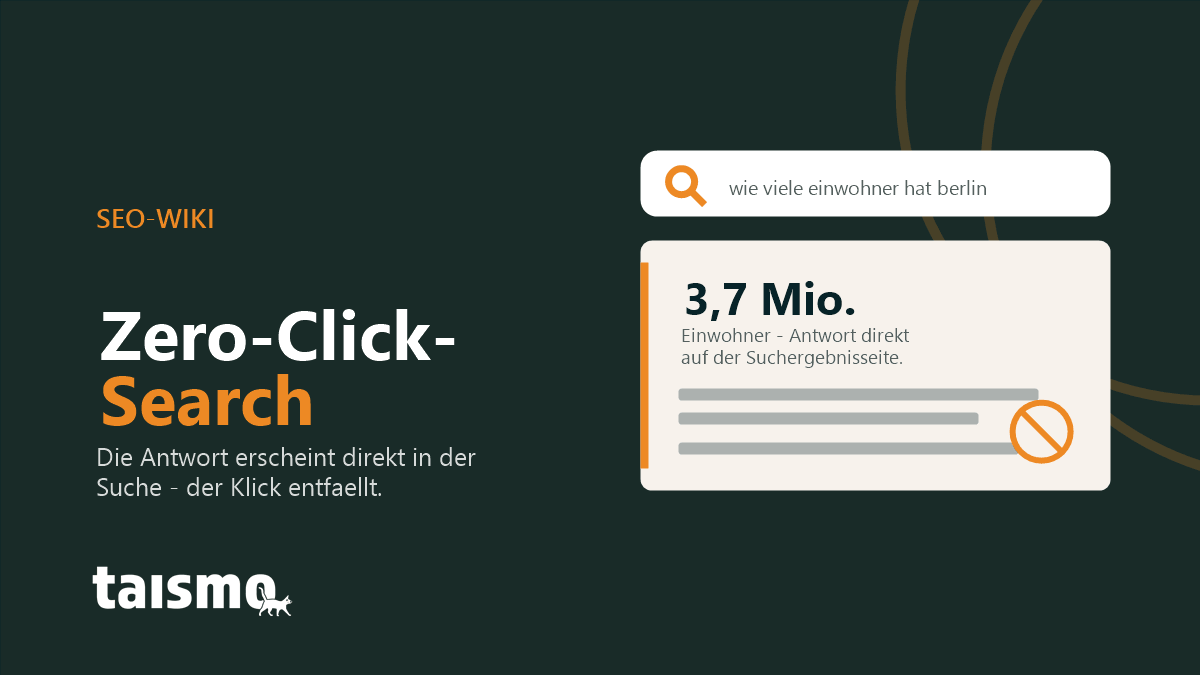
Zero-click search is one of the most defining developments in modern search behavior. Google has rebuilt the search results page from a plain directory of links into an answer machine. For SEO that means rankings alone no longer secure clicks, because visibility is shifting into the SERP itself.
Term at a glance
| Property | Detail |
|---|---|
| Type of term | Search behavior and SEO metric |
| Spelling variants | zero-click search, zero click search |
| Synonyms | no-click search, search without a click |
| Triggers | Featured snippets, knowledge panels, AI Overviews, direct answer boxes |
| Related terms | SERP, featured snippet, AI Overviews, knowledge graph |
Why are zero-click searches rising?
Zero-click searches are rising because Google is deliberately building the search results page into a direct source of answers. Instead of serving a list of blue links, Google answers more and more questions immediately, to get users to their goal faster and keep them longer inside its own ecosystem.
According to a widely quoted SparkToro analysis by Rand Fishkin (Datos data, 2024), almost 60 percent of all Google searches in Europe and the USA end without a click on an external website. A large share of those queries is answered directly in the search results.
Four developments are driving the increase:
- More SERP features: Google shows direct answers, calculators, weather boxes and definitions for a growing number of queries.
- Mobile search: on a smartphone, one or two SERP features fill the entire first screen and organic results slide further down.
- Voice search: assistants read out exactly one answer, and a click is not even technically foreseen. That pattern is explained by the term voice SEO.
- AI Overviews: since 2024, Google has summarized generative AI answers at the top of the search results. The details are explained by the term AI Overviews.
Which SERP features cause zero-click searches?
Five SERP features cause the bulk of all zero-click searches. Each of them delivers the answer directly in the search results and makes a click on an organic result unnecessary.
- Featured snippet: the highlighted answer block at position 0 quotes a passage of text from a website.
- Knowledge panel: the info box on the right delivers facts about people, brands and places from the knowledge graph.
- AI Overview: the generative AI summary answers complex questions in its own sentences with links to the sources.
- Direct answer boxes: time, weather, unit conversions, arithmetic and word definitions appear as a finished result.
- People Also Ask: the expandable related questions answer follow-up questions without the user leaving the SERP.
What does zero-click search mean for SEO and traffic?
Zero-click search lowers the click rate of organic results without necessarily reducing the visibility of a brand. A page can rank for a keyword, collect many impressions and still receive barely any clicks, because Google already delivers the answer itself.
The effect does not hit all queries equally hard. What matters is the search intent:
- Short informational questions (definitions, figures, opening hours) are affected the most. Here the SERP answers the question in full.
- Complex and transactional queries (comparisons, buying decisions, step-by-step guides, local service providers) still lead to clicks, because a snippet does not settle the question.
In practice that means pure traffic numbers become a blurrier KPI. If you appear on a topic in the SERP with a featured snippet or inside an AI Overview, you gain brand presence and authority even without a click. This shift from counting clicks to being present in the SERP is the core of generative engine optimization (GEO).
How do you deal with zero-click search strategically?
Four strategies cushion the losses from zero-click search and turn the trend back into visibility. They complement each other and together form a solid answer to a search world with fewer clicks.
- Take position 0 on purpose: structure content so that Google quotes it as a featured snippet or inside an AI Overview. Clear definitions, lists and tables deliver quotable answer blocks.
- Focus on click-heavy keywords: steer resources toward transactional queries and queries that need advice, where a snippet cannot replace the answer.
- Anchor the brand in the SERP: use clean entities and structured data (JSON-LD) so Google places the brand correctly in the knowledge panel and in AI answers.
- Create reasons to click: meaningful meta titles, rich snippets and content depth that goes beyond the plain SERP answer make the click worthwhile.
In practice it pays to look at your own target audience: does the SERP already answer your customers’ core question in full, or does it take a deeper answer on your own page? Exactly that prioritization is part of SEO services that look at rankings, SERP features and click potential together.
Frequent questions about zero-click search
Is zero-click search bad for SEO?
Not as a rule. Zero-click search does lower the click rate on simple questions, but it strengthens brand presence when a page is quoted as a featured snippet or inside an AI Overview. Damage only occurs when a website bets exclusively on short questions with little click potential.
Can you keep traffic despite zero-click search?
Yes. If you optimize for transactional and complex queries and invite the click in the SERP with strong titles and rich snippets, traffic stays stable. Those queries cannot be replaced by a short SERP answer.
How do you measure zero-click searches?
In Google Search Console, a high number of impressions combined with a low click rate indicates that a keyword probably has zero-click character. On top of that, SERP checks show which features are served for a given query.
Welt der SEO lernen?