Tag: P

pillar page

What is a pillar page?

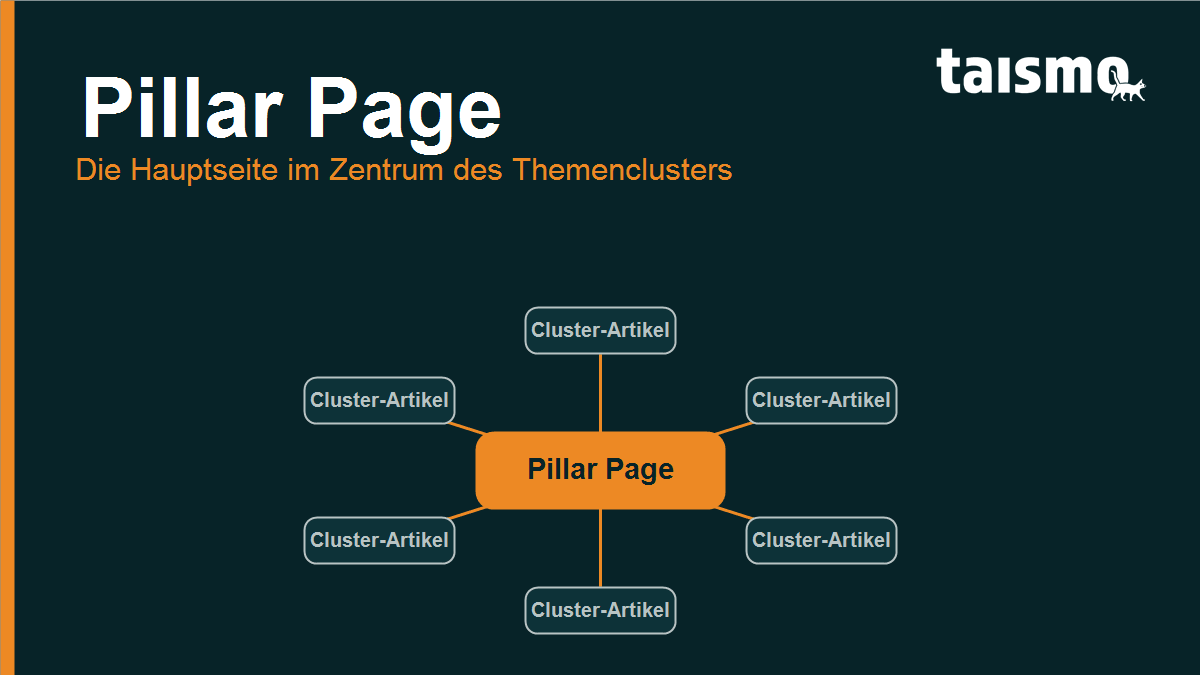
A pillar page is a comprehensive main page on a broad topic that gives the complete overview and links out to in-depth cluster articles. Those cluster articles each cover one sub topic of the subject and point back to the pillar page. Together, pillar page and cluster articles form a topic cluster structure in which the pillar page is the central node. That makes it the core of modern, topic-led SEO.

Pillar page as the central node of a topic cluster, surrounded by linked cluster articles

The term comes from content marketing and answers a shift in how Google reads the web: away from single keywords, toward whole topics. Instead of building a separate page for every keyword, a pillar page bundles an entire subject area in one place and organizes the detail pages around it. If you run content marketing strategically, pillar pages become the ordering principle for your whole content structure.

Term at a glance

Property Detail
Category Content marketing and SEO strategy
Function Central overview page of a topic cluster
Scope Broad rather than deep: covers a whole topic in overview, often 2,000+ words
Linking Links out to cluster articles that link back, so both directions are covered
Related terms Topic cluster, cluster article, cornerstone content, internal linking

How is the pillar cluster model structured?

The pillar cluster model rests on 3 building blocks: the pillar page, several cluster articles, and the internal links that connect them. The pillar page sits at the center and gives the overview of the entire topic. Each cluster article picks out one single sub topic and treats it in depth. Through internal links, the pillar page points to every cluster article, and every cluster article links back to the pillar page.

The link back is the decisive element. Only two-way linking turns loose single pages into a coherent cluster that Google recognizes as one thematic unit. An example from SEO practice: the pillar page on technical SEO gives the overview, while the cluster articles cover load time, crawl budget, XML sitemaps and structured data. Each of those articles links back to the pillar page.

Structure of the pillar cluster modelThe pillar page sits at the center and is connected to several cluster articles by internal links that run in both directions. Each cluster article covers one sub topic and links back to the pillar page.Pillar pageTopic in overviewCluster articleSub topic 1Cluster articleSub topic 2Cluster articleSub topic 3Cluster articleSub topic 4Cluster articleSub topic 5Fig. 1 · taismo
Fig. 1: How the pillar cluster model is built, with internal links running both ways between the pillar page and the cluster articles.

Pillar page vs. cornerstone content: what is the difference?

The difference sits in the perspective: cornerstone content describes the most important, strongest ranking page on a topic, while pillar page describes the structural role inside a topic cluster. In practice the two overlap heavily, and a pillar page is almost always cornerstone content as well. The focus, though, is a different one.

  • Cornerstone content stresses importance: it is the page you place the most value on and the one you ideally want to rank with.
  • Pillar page stresses architecture: it is the page that organizes a topic cluster and holds the cluster articles together through linking.

Put briefly: every pillar page is cornerstone content, but not every cornerstone article has to steer a complete topic cluster with cluster articles behind it. If you know the term cornerstone from the Yoast world, you can read pillar page as its strategic extension by the cluster logic.

Why does a pillar page strengthen your SEO?

A pillar page strengthens SEO because it signals topical authority and a clear site structure to Google. Google increasingly judges websites by how completely they cover a topic, and no longer only by how often a keyword shows up. A cleanly linked topic cluster delivers exactly that signal. Four effects work together:

  1. Topical authority: when a website covers a subject comprehensively with a pillar page and cluster articles, Google treats it as an authority on that subject. That lifts visibility across the whole topic area.
  2. Distributed link equity: internal linking passes authority from the cluster articles to the pillar page and back again. The pillar page gains from every new cluster article.
  3. Better crawlability: clear linking guides search engine crawlers straight through the topic. New cluster articles are found faster through the pillar page.
  4. Stronger rankings in the SERPs: because the pillar page covers a broad topic, it ranks for many related search terms at once and catches queries across the entire subject area.

The same mechanism holds for AI visibility: language models such as ChatGPT and Perplexity favor sources that explain a topic in a structured and complete way. A well planned topic cluster is therefore also a foundation for being quoted in AI answers, a central goal of modern SEO services and of generative engine optimization.

How do you create a pillar page?

A pillar page comes together in 5 steps, from the topic to the internal linking. The order matters: first the topic cluster stands, then the text. If you start writing straight away without planning the cluster articles, you lose the very structure that makes a pillar page work.

Five steps to a pillar pageA pillar page is built in five steps: choose a broad topic, plan the sub topics as a cluster, write the pillar page, create the cluster articles and link both ways.5 steps to a pillar page1Broad topicchoose one2Plan the clustersub topics3Write the pillaroverview4Cluster articlesin depth5Link upboth waysFig. 2 · taismo
Fig. 2: The five steps from choosing the topic to linking a pillar page in both directions.
  1. Choose a broad topic: take a subject big enough for several sub pages while staying clearly bounded. SEO on its own is too broad, technical SEO carries a cluster.
  2. Plan the cluster: break the topic down into single sub topics. Every sub topic a reader would search for separately becomes its own cluster article.
  3. Write the pillar page: compose the overview page. It answers the central questions on the topic concisely and points to the cluster articles for the depth.
  4. Create the cluster articles: write a separate, in-depth article for every sub topic, each one serving exactly one search intent in full.
  5. Link both ways: link the pillar page to every cluster article and every cluster article back to the pillar page. Without that linking it stays a collection of loose pages.

Frequent questions about pillar pages

How long should a pillar page be?
A pillar page is usually extensive and often runs to 2,000 words or more, because it covers a whole topic in overview. What counts is not the word count but that the page frames the subject completely and points to the matching cluster articles.

How many cluster articles does a pillar page need?
There is no fixed number, and 5 to 15 cluster articles per pillar page is common. The amount follows from how many sensible sub topics the subject can be broken into.

Is a pillar page the same as a landing page?
No, the goals differ. A landing page is optimized for conversion and usually focused on one offer, while a pillar page explains a topic informatively and forms the entry point into a topic cluster.

Can the homepage be a pillar page?
In exceptional cases yes, but it is usually a poor fit. A dedicated topic page can be aimed at one subject far more clearly and linked with the cluster articles more precisely than a homepage that has to serve many jobs at once.

PageSpeed

What is PageSpeed?

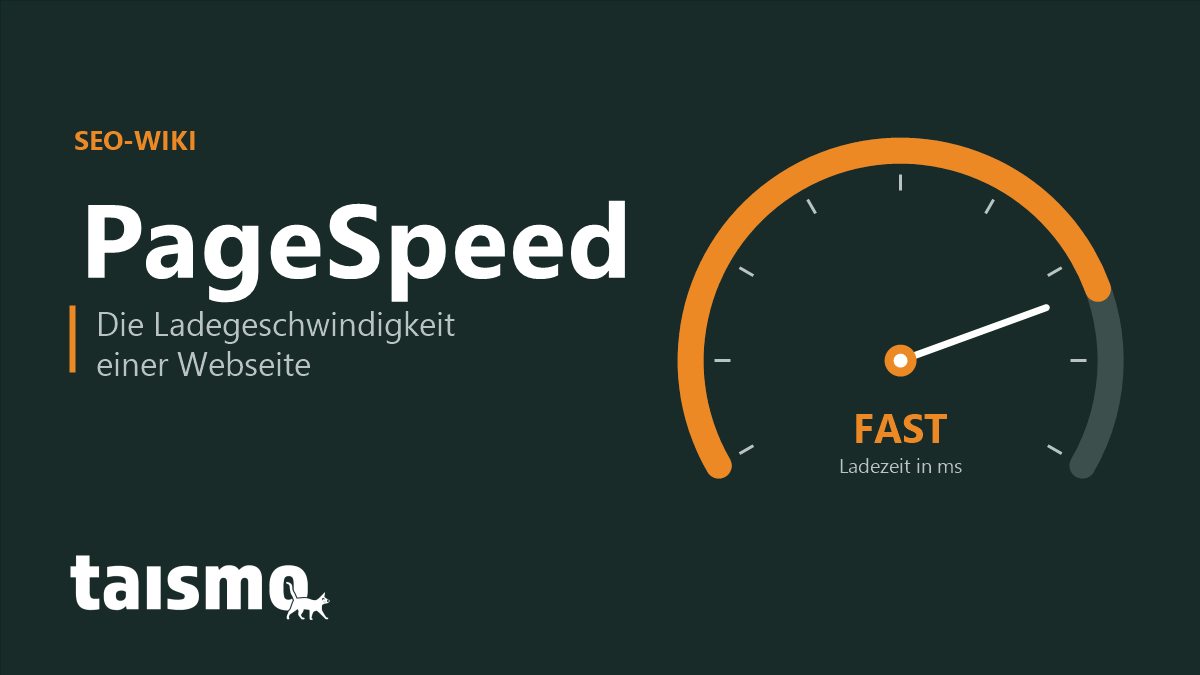
PageSpeed (also written page speed or site speed) is the loading speed of a web page, meaning how quickly its content becomes visible and usable in the browser. PageSpeed is measured through field data and lab data, above all with the Core Web Vitals and Google’s tool PageSpeed Insights. A high page speed improves the user experience and counts for Google as a confirmed ranking signal.

PageSpeed explained: the loading speed of a web page shown as a speedometer, measured with Core Web Vitals and PageSpeed Insights

Page speed is not one single number but a bundle of metrics that describe when a page shows its first content, when it has finished loading and from which point a visitor can actually use it. For site owners the metric matters twice over: slow pages lose visitors, and Google counts speed as part of the page experience.

Page speed at a glance

Attribute Detail
Term PageSpeed (also: page speed, site speed)
Field web performance, technical SEO, page experience
Synonyms loading speed, load time, site speed
Measured with PageSpeed Insights, Lighthouse, Core Web Vitals, CrUX
Kinds of data field data (real users) and lab data (standardized test)
Related terms Core Web Vitals, Largest Contentful Paint, caching, CDN

How is PageSpeed measured?

PageSpeed is measured through two kinds of data: field data from real user visits and lab data from a standardized test environment. Both answer different questions and complement each other.

  • Field data (real user monitoring): it comes from real visitors and is collected through the Chrome User Experience Report (CrUX). Field data shows how fast a page really loads on the devices and connections people actually use.
  • Lab data: it is produced in a controlled environment with fixed device and network settings. Lab data is reproducible and ideal for debugging a concrete problem before a change goes live.

The best known tool is Google PageSpeed Insights (PSI). It brings both worlds together: it shows the field data from CrUX, where the URL has any, and adds a lab test carried out by Lighthouse. Lighthouse awards a performance score from 0 to 100 and lists concrete optimization hints. One caveat: that score is a snapshot of the lab test, while Google’s own assessment runs on the field data.

Field data and lab data comparedPageSpeed is measured in two ways: field data comes from real user visits through the Chrome User Experience Report, lab data from a standardized test with Lighthouse. PageSpeed Insights shows both together.Two kinds of data, one goalField dataReal users, real devicesSource: Chrome UX Report (CrUX)Basis of Google’s assessmentAnswers: how fast is it in reality?Lab dataStandardized test environmentTool: Lighthouse score 0 to 100Ideal for debuggingAnswers: what is causing it?PageSpeed Insights shows both kinds of data for one URL together.Fig. 1 · taismo
Fig. 1: Field data (real users) and lab data (Lighthouse). PageSpeed Insights brings both together.

What do Core Web Vitals have to do with PageSpeed?

The Core Web Vitals are the three metrics Google uses to put a number on page speed and user experience. They turn the vague word fast into measurable thresholds and form the basis of the page experience. The term Core Web Vitals explains every single metric in detail.

  • Largest Contentful Paint (LCP): measures when the largest visible element has loaded, the loading side of speed. Good is up to 2.5 seconds. The term Largest Contentful Paint goes into the detail.
  • Interaction to Next Paint (INP): measures how quickly the page reacts to input, the side of usability. Good is up to 200 milliseconds.
  • Cumulative Layout Shift (CLS): measures how much content jumps around while the page loads, the visual stability. Good is a value below 0.1.

PageSpeed is therefore the umbrella term, the Core Web Vitals are the concrete yardstick. Anyone who wants to improve loading speed works in practice on exactly these three values.

Is PageSpeed a ranking factor?

Yes, PageSpeed is a confirmed ranking factor, but a comparatively weak one. Google officially made loading speed a ranking signal in 2010 for desktop search and in 2018 for mobile search; since 2021 it feeds into the assessment through the page experience signal and the Core Web Vitals.

What matters is the right perspective: relevance and content quality weigh far more heavily than speed. PageSpeed works above all as a tiebreaker, because between two pages of equal content the faster one comes out ahead. The bigger lever is indirect anyway: fast pages lower the bounce rate and raise time on page and conversions. Problems with the Core Web Vitals show up in the Google Search Console report, which collects the field data for your domain in one place.

How do you improve your PageSpeed?

You improve page speed by cutting the amount of data you transfer, reducing requests to the server and delivering content closer to the user. The most effective levers fall into four areas.

  1. Optimize images: modern formats such as WebP or AVIF, sensible image dimensions and lazy loading for images outside the visible area. On most pages images are the largest single data item.
  2. Use caching: a cache stores a page once it has been generated, so the server does not have to build it again on every request. That noticeably lowers the server response time.
  3. Speed up delivery: a content delivery network (CDN) serves content from a geographically nearby server and shortens the transfer routes.
  4. Compress files: text based resources such as HTML, CSS and JavaScript can be transferred in compressed form with gzip or the more efficient Brotli. On top of that, minifying code and deferring non critical scripts help.
The four most important levers for better PageSpeedPageSpeed can be improved through four levers: optimize images, use caching, put a content delivery network in front and compress files with gzip or Brotli.4 levers for faster load times1Optimize imagesWebP/AVIF, sizes, lazy loading2Use cachingCut the server response time3Use a CDNShort routes to the user4Compress filesgzip / Brotli, minify codeFig. 2 · taismo
Fig. 2: The four most important levers for better PageSpeed, from image optimization through to compression.

Which levers pay off most is a question the measurement answers: the lab test points you to the biggest brakes, the field data shows the real effect. A structured look at load times and Core Web Vitals is a fixed part of an SEO audit, and in a relaunch we set the course for performance right in the web design. More terms around speed and page experience are collected in the SEO glossary.

Frequently asked questions about PageSpeed

What is a good PageSpeed score?
A Lighthouse performance score of 90 and above counts as good, from 50 upwards as in need of improvement. More important than the lab value is the field data: all three Core Web Vitals should sit in the green range.

What is the difference between PageSpeed and Core Web Vitals?
PageSpeed is the umbrella term for the loading speed of a page. The Core Web Vitals are the three concrete metrics Google uses to measure that speed and the user experience.

Is PageSpeed Insights free?
Yes, PageSpeed Insights is a free Google tool. You enter a URL and get field data and lab data together with concrete optimization hints.

Why is my score worse on mobile than on desktop?
Mobile tests simulate weaker processors and slower mobile connections. Since Google evaluates mobile first, that is the value that decides.

Penguin update

What is the Google Penguin update?

The Google Penguin update is an update to Google’s ranking algorithm that fights web spam. It ran for the first time in 2012 and, despite the name, has nothing to do with penguins.

Google Penguin update explained: the Google ranking algorithm update against web spam and manipulative links

The update targets web spam, meaning any form of content that exists to reach higher rankings without offering value to the visitor of a website, and it is meant to reduce manipulation of the search results. By now it is a fixed part of the Google algorithm. Between 2012 and 2014, Penguin versions 1.0 to 3.0 were still rolled out manually; since version 4.0 from 2016, the updates run continuously as part of Google’s core algorithm.

What did the Penguin update change for SEO?

The update became a problem above all for websites that do not follow Google’s webmaster guidelines. Once Google’s filters recognize web spam on a page, that means a considerable loss of rankings.

Link building, meaning the generation of backlinks through guest posts, link exchanges or even buying links, used to be a large part of the work of an SEO. Since the update it has become a good deal harder to earn high quality backlinks without ending up in web spam territory. That is also one of the reasons why only few agencies offer backlink building.

What to do if the Penguin update hits your site

You should analyze and clean up your backlink profile right away, which means getting bad backlinks removed. If removal does not work, Google offers a tool (the Disavow Tool) that devalues links, so they no longer count towards your link profile.

Sorting out which links are actually the problem is what the backlink chapter of an SEO audit is for. More terms from this field are in the SEO glossary.

podcast

What is a podcast?

A podcast is a series of digital audio or video files that users can download or stream online. Podcasts are similar to radio shows, but they are far more flexible, because an episode can be played at any time and anywhere.

Podcast explained: a series of digital audio or video episodes to stream or download

Podcasts cover a wide range of topics, from news and politics to entertainment, education and hobbies. Users can subscribe to a show to receive new episodes automatically as soon as they are published.

Where does the term podcast come from?

The word podcast is built from iPod and broadcast. The iPod was a popular MP3 player from Apple that let users listen to audio on the move, and broadcast stands for transmission or radio in this context. The term was coined in 2004 by the British journalist Ben Hammersley in an article for The Guardian, when he described a new wave of internet radio shows. The iPod is no longer as widespread today, but podcast has stuck as the name for the audio format.

How do podcasts work?

Podcasts are usually distributed through dedicated platforms or podcast apps. Producers publish their content there by creating an RSS feed (Rich Site Summary), which acts as the distribution channel for new episodes. Users can stay up to date through those platforms or subscribe to the feed directly. As soon as a new episode is available, subscribers get a notification or the episode is downloaded automatically so they can listen to it offline later.

What role do podcasts play in marketing?

Podcasts have become an important part of online marketing. Brands can use them to widen their audience and to build a closer relationship with their customers. The benefits are varied: through sponsored content, interviews or their own podcast productions, companies can show their expertise, communicate brand values and place targeted advertising. Podcasts speak to a committed audience that often builds a strong bond with the host, which makes sponsored advertising more effective. On top of that, podcasts can be optimized for social media and SEO to increase the reach and the influence of a brand.

taismo runs its own online marketing and SEO podcast, Podsmo. The episodes are in German. If you would rather talk about SEO support in English, the contact page is the shorter route.

PHP

What is PHP?

PHP, an acronym for “PHP: Hypertext Preprocessor”, is a widely used open-source scripting language that was built specifically for web development and can be embedded in HTML. Originally developed by Rasmus Lerdorf in 1994, PHP is today one of the most frequently used languages for web development. What makes PHP special is its ability to generate dynamic content in real time. When a visitor opens a page that runs on PHP, the PHP script is executed on the server and the result is sent to the browser as regular HTML.

PHP explained: the open-source scripting language that generates dynamic web pages on the server

Which content management systems run on PHP?

Many of the best known content management systems (CMS) in the world run on PHP. A CMS makes it easier for people to create and manage content for websites without any programming knowledge. These are some of the best known PHP-based systems:

  • WordPress: probably the best known CMS built on PHP. Originally developed as a simple blogging platform, WordPress has grown into a powerful CMS with countless plugins and themes that suits every kind of website, which is why it carries most of our web development projects.

  • Joomla: another popular PHP-based CMS, known for its flexibility and extensibility.

  • Drupal: although it is somewhat more complex to handle than WordPress or Joomla, Drupal is known for its robustness and scalability and works well for larger websites and applications.

  • Magento: a PHP-based e-commerce system built specifically for online shops. It offers a wide range of functions and extensions for e-commerce.

Why are PHP updates important for SEO?

PHP updates matter not only for the security and performance of a website, they can also have a considerable effect on search engine optimization (SEO). Here is why:

  • Security: search engines such as Google put a lot of weight on the security of websites. Sites with known vulnerabilities can be pushed down in the search results. Because new vulnerabilities are found regularly, updating PHP regularly is what closes those gaps.

  • Performance: the loading speed of a website is an important ranking factor for search engines. Newer PHP versions often deliver better performance and shorter loading times, which pays into PageSpeed and into your SEO.

  • New functions: every update usually introduces new functions and optimizations that make web development more efficient and more comfortable.

  • Compatibility: updates to a CMS and to other web applications often require a certain PHP version to work properly. An outdated PHP version leads to compatibility problems that hurt website performance and, with it, your SEO.

Whether an outdated PHP version is slowing your site down is one of the points an SEO audit makes visible.

parasite SEO

What is parasite SEO?

Parasite SEO is a technique in search engine optimization (SEO) in which content is placed on highly authoritative domains in order to benefit from their existing PageRank and their trust with search engines. The goal is to rank higher for certain keywords than would be possible with a less authoritative website of your own.

Parasite SEO explained: content placed on highly authoritative domains to borrow their ranking strength in search results

The method carries that name because it profits parasitically from the authority and the ranking of other platforms without contributing anything to the value of those domains. Some parasite SEO practices can be legitimate marketing strategies, such as publishing guest articles on reputable websites. Other approaches count as manipulative and against the guidelines of many search engines.

Is parasite SEO always bad?

Parasite SEO has a bad reputation because of its potential for manipulation. Whether it is always bad, however, deserves a more nuanced answer. A lot depends on how it is carried out and on the intentions behind it.

Legitimate use of authoritative platforms: When content with real value for users is shared on high-profile platforms such as LinkedIn or YouTube, that can be seen as a form of content marketing rather than parasite SEO. Practices like these help you establish a brand, build trust and reach a target audience without manipulating the search results.

The line between white hat and black hat SEO: In SEO, people usually distinguish between white hat methods (ethical) and black hat methods (unethical and often against the guidelines of the search engines). Parasite SEO sits in a gray area, depending on how it is applied. Using authoritative platforms to lift your own ranking with high-quality content that offers users real value can count as an acceptable strategy. Aggressive parasite SEO tactics that exist only to manipulate search algorithms and push competitors out unfairly, on the other hand, are clearly black hat SEO.

How do you protect your website against the negative effects of parasite SEO?

To protect yourself against the negative effects of parasite SEO, you have to monitor and maintain your own website continuously. That includes checking your backlinks and your rankings regularly, so that you spot unusual activity quickly.

Web monitoring tools help you detect parasitic content that has been placed on authoritative domains and aims at your own brand or website. A strong SEO strategy of your own, built on high-quality content, a good user experience and solid on-page optimization, is just as essential if you want to be prepared for the effects of parasite SEO. Reporting cases of abuse to the platforms where parasitic content shows up helps as well: the content gets removed and its impact stays small. The SEO glossary covers the neighboring terms of this topic.