



An SEO reporting tool is a software solution that automatically collects and analyzes SEO-related data and presents it in easy-to-understand reports, allowing you to systematically manage your website’s online visibility and performance. For marketing professionals and business leaders, such a tool is far more than just a graveyard of numbers. It’s the tool that turns raw click data into real insights for decision-making. If you want to know whether your SEO efforts are working, you need key metrics like organic traffic, keyword rankings, and conversion rates at a glance. And this is exactly where a good SEO reporting tool comes in: It connects data sources like Google Search Console and GA4, shows trends over time, and, in the best case, provides concrete recommendations for action. SEO reporting is the central tool for managing your SEO strategy, demonstrating success, and justifying your budget to stakeholders.
What is an SEO reporting tool, and which metrics really matter?
An SEO reporting tool aggregates data from various sources and makes it comparable. Without this consolidation, you’d be switching back and forth every day between Google Search Console, GA4, and other analytics platforms without ever seeing the big picture. That takes time and leads to misinterpretations.
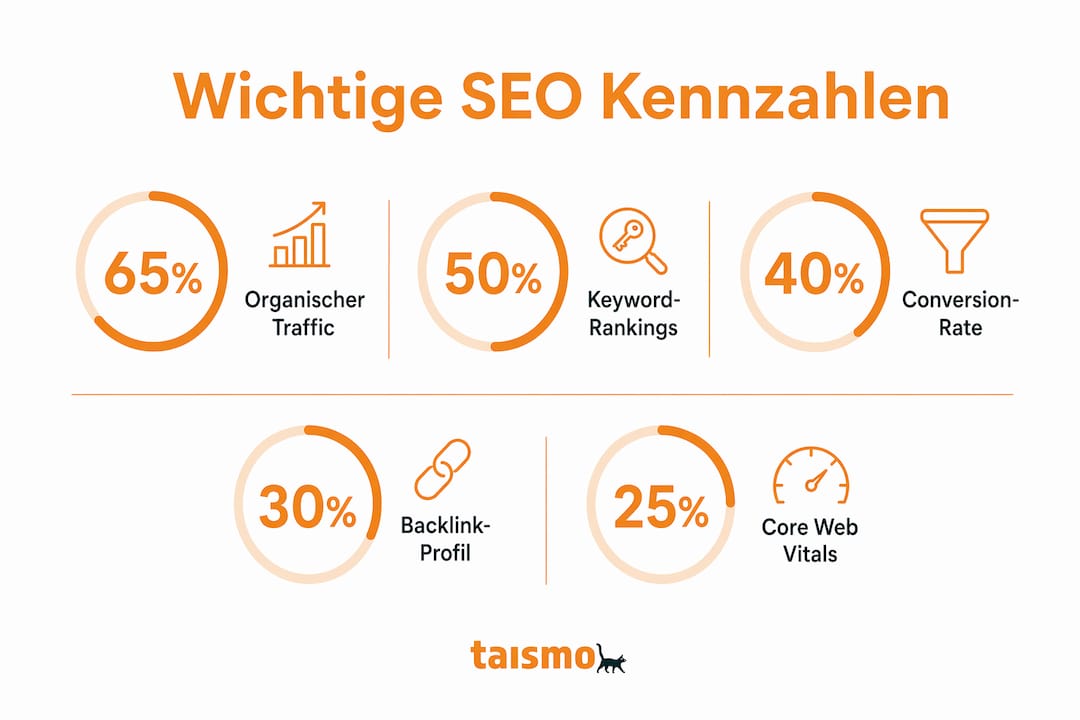
For professional SEO reporting, you should keep an eye on at least these metrics:
- Organic Traffic: How many visitors come to your site through unpaid search results?
- Keyword Rankings: Where does your website appear in search results for relevant keywords?
- Conversion Rate: What percentage of visitors performs a desired action, such as making a purchase or submitting an inquiry?
- Backlink Profile: How many external sites link to your website, and which ones? The article " What Is a Backlink?" explains more.
- Core Web Vitals: Technical loading times and user experience metrics that Google directly factors into its rankings.
Any professional SEO report should cover at least these five groups of metrics. If you only track rankings, you’re only seeing a fraction of the picture.
The following table shows which KPIs provide which benefits:
| key figure | Benefits in Reporting |
|---|---|
| Organic Traffic | Shows the overall trend in visibility over time |
| Keyword Rankings | Evaluates changes in rankings for target keywords |
| Conversion Rate | Combines SEO performance with business results |
| Backlink Profile | Measures the domain's authority and trustworthiness |
| Core Web Vitals | Evaluates technical quality and user experience |
Pro Tip: Keep monitoring dashboards separate from strategic reports. A dashboard shows you the current status in real time. A report analyzes a completed time period and draws conclusions. If you confuse the two, you’ll make decisions based on incomplete analysis.
Dashboards are ideal for real-time overviews, while reports are best suited for strategic planning. Many companies confuse the two and use dashboards for in-depth decision-making. That’s a mistake that comes back to haunt them.
How does automated SEO reporting work?
Automation is the driving force behind modern SEO reporting. With the right process architecture, up to 70% of daily SEO tasks can be automated. This means that data collection, report generation, and anomaly detection all run without manual intervention.

Experienced analysts use APIs to pull data from Google Search Console, GA4, and other sources into a central data warehouse or a BI tool. There, they create custom dashboards and reports that automatically trigger alerts when anomalies are detected. This goes far beyond what standard tools can do.
But automation has clear limitations. It provides data. It doesn’t explain why traffic has dropped by 15% or which action should be prioritized next. Automation significantly reduces manual effort, but it doesn’t replace human interpretation. This isn’t a weakness of the tools. It’s the core competency that you, as a marketing professional, must bring to the table.
The best reporting setups combine automated data collection with a clear framework:
- Define thresholds; for example, a traffic decline of more than 10% automatically triggers a review.
- Anomaly alerts via email or Slack so that technical issues are noticed immediately.
- Weekly brief overviews for operational teams, monthly in-depth analyses for management.
"A report without recommendations for action is nothing more than an archival document." This insight distinguishes professional SEO reporting from mere data hoarding.
Pro Tip: Set up your reporting framework so that each metric has a defined action trigger. If rankings for a top keyword drop by more than three positions, this should automatically generate a task for the team. Not at some point in the future—immediately.
Anyone who wants to delve deeper into technical SEO optimization will find a good introduction to the metrics that are particularly relevant for reporting.
How do you integrate SEO reporting tools into your marketing strategy?
An SEO analysis tool only realizes its full value when it is integrated into a company’s day-to-day operations. Raw data alone doesn’t change anything. Only when reports are regularly reviewed, discussed, and translated into decisions does real value emerge.
Weekly SEO reports are often ineffective. SEO measures take time before changes become visible in search engines. We recommend monthly reports for operational teams and quarterly reports for management, supplemented by daily alerts in the event of technical issues.
Here's what a practical reporting structure looks like:
- Daily Alerts: Automatic notifications for technical errors, sharp drops in traffic, or indexing issues. No manual effort required, but immediate responsiveness.
- Monthly Report for the SEO Team: Detailed analysis of keyword trends, backlink growth, technical metrics, and on-page optimization measures. Includes specific recommendations for action for the coming month.
- Quarterly Report for Management: Focus on key business metrics. How has organic traffic impacted conversion goals? What budget decisions can be derived from this? No technical details—just clear numbers.
- Year-End Review: Strategic assessment of overall performance, comparison with competitors at the category level, and planning of the next priorities.
The key difference between a report for management and one for the SEO team lies in their focus. Managers want to know whether the investment is worth it. SEO experts want to know what to do next. Both questions are valid. But they require different answers.
Without a reporting framework and clear triggers for action, an SEO report is nothing more than a collection of numbers. The best tools are the ones that force you to make decisions—not just collect data.
Here’s a concrete example: An e-commerce company tracks organic traffic to product category pages on a monthly basis. In March, they notice that one category is generating fewer conversions despite stable rankings. The report shows that the bounce rate has increased. The recommended course of action is to revamp the landing page. Without reporting, this correlation would have gone unnoticed.
What are the most common mistakes made when using SEO reporting tools?
The most common mistake isn't choosing the wrong tool. The biggest problem with SEO reports is the lack of a clear decision-making framework that derives concrete recommendations for action from data. A tool cannot replace this framework.
Common mistakes you should avoid:
- Data without interpretation: A report that merely lists numbers adds no value. Every metric needs to be put into context: Is this good or bad? Why has it changed?
- Reporting too frequently: If you generate reports every week, you’ll get lost in short-term fluctuations. SEO takes effect over months, not days.
- A tool as the sole solution: No tool thinks for you. It provides data. The strategy comes from you.
- Failure to tailor content to the target audience: A 40-page report for management filled with technical details won't be read. Brevity and focus aren't weaknesses—they show respect for your readers' time.
Pro Tip: End every report with a “Next Steps” section. Include three to five prioritized actions, clearly stated, with assigned responsibilities and timelines. Only reports that include recommendations for action become true management tools.
Anyone familiar with empirically tested SEO methods will quickly realize that reporting without follow-through is a waste of time. The value lies not in the report itself, but in what happens afterward.
Key Findings
An SEO reporting tool only becomes a true management tool when it links data to a clear decision-making framework and each report concludes with specific recommendations for action.
| Topic | details |
|---|---|
| Definition of an SEO Reporting Tool | Software that collects and analyzes SEO data and presents it to support decision-making |
| Key Metrics | Organic traffic, rankings, conversions, backlinks, and Core Web Vitals are essential |
| Dashboard vs. Report | Dashboards display real-time status, while reports analyze past periods and draw conclusions |
| Automation and Limits | Up to 70% of tasks can be automated, but interpretation and strategy remain human tasks |
| Reporting Frequency | Monthly reports for teams, quarterly reports for management, daily alerts for technical issues |
My Honest Take on SEO Reporting in Practice
Over the past few years, I've helped many companies set up their SEO reporting. And let me tell you: The most common mistake isn't using the wrong tool. It's having the wrong expectations.
Many marketing professionals believe that a good tool will automatically solve the problem. They purchase a license, connect their data sources, and wait for insights. But a tool is like a compass. It shows you the direction. You have to do the walking yourself.
What really works is a structured framework. First, define the questions your report is meant to answer. Then choose the metrics that answer those questions. Only then should you decide on a tool. Most people do it the other way around and wonder why their reports don’t make a difference.
Another point that I often see underestimated: Reporting changes behavior. When a team knows that certain metrics will be presented to management on a monthly basis, it works differently. So reporting isn’t just about measurement—it’s also about steering. That’s a power that many companies haven’t yet learned to harness effectively.
My advice: Start small. A monthly report with five key metrics and three recommendations for action is more valuable than a 50-page document that no one reads. And if you notice that your team isn’t using the reports, the problem isn’t the tool. It’s the framework.
— Dominik Breitbach
taismo helps you set up your SEO reporting
SEO reporting sounds like a administrative burden. In reality, it’s the foundation of any measurable online strategy. taismo is a search marketing agency based in Munich that helps companies not only measure their SEO performance but also use it to drive real growth. With keyword ranking increases of up to 1,700% and an ROAS of 1,000%, taismo demonstrates what’s possible when data and strategy come together.
Whether you're just starting to set up your reporting system or want to further develop an existing one, taismo supports you with concrete analyses, clear recommendations, and a framework that really works. Be sure to check out the SEO Trends for 2025 to understand where the industry is headed and what that means for your reporting.
Frequently Asked Questions
What exactly is an SEO reporting tool?
An SEO reporting tool is a software program that aggregates and analyzes data from sources such as Google Search Console and GA4, and presents it in the form of easy-to-understand reports. It is used to systematically measure a website’s SEO performance and support decision-making.
What metrics should be included in every SEO report?
Organic traffic, keyword rankings, conversion rate, backlink profile, and Core Web Vitals are the five groups of metrics that no professional SEO report should omit.
How often should you create an SEO report?
Monthly reports for operational teams and quarterly reports for management are recommended. Daily automated alerts supplement the system in the event of technical issues.
What is the difference between a dashboard and an SEO report?
A dashboard displays the current status in real time and is used for monitoring. A report analyzes a completed time period, draws conclusions, and includes recommendations for action for the next period.
Can an SEO reporting tool replace human analysis?
No. Automation handles data collection and reporting, but interpreting the data and deriving strategies remain core human competencies.