



What is X-Robots Day?
The X-Robots Day is a directive for controlling indexing that a website includes in the HTTP response header. It functions similarly to the robots meta tag in HTML, but can be applied to any file type—including non-HTML resources such as PDFs, images, or videos that do not contain any <head> possess. Through directives such as noindex or nofollow The X-Robots tag tells search engines whether and how they may include a resource in their index.
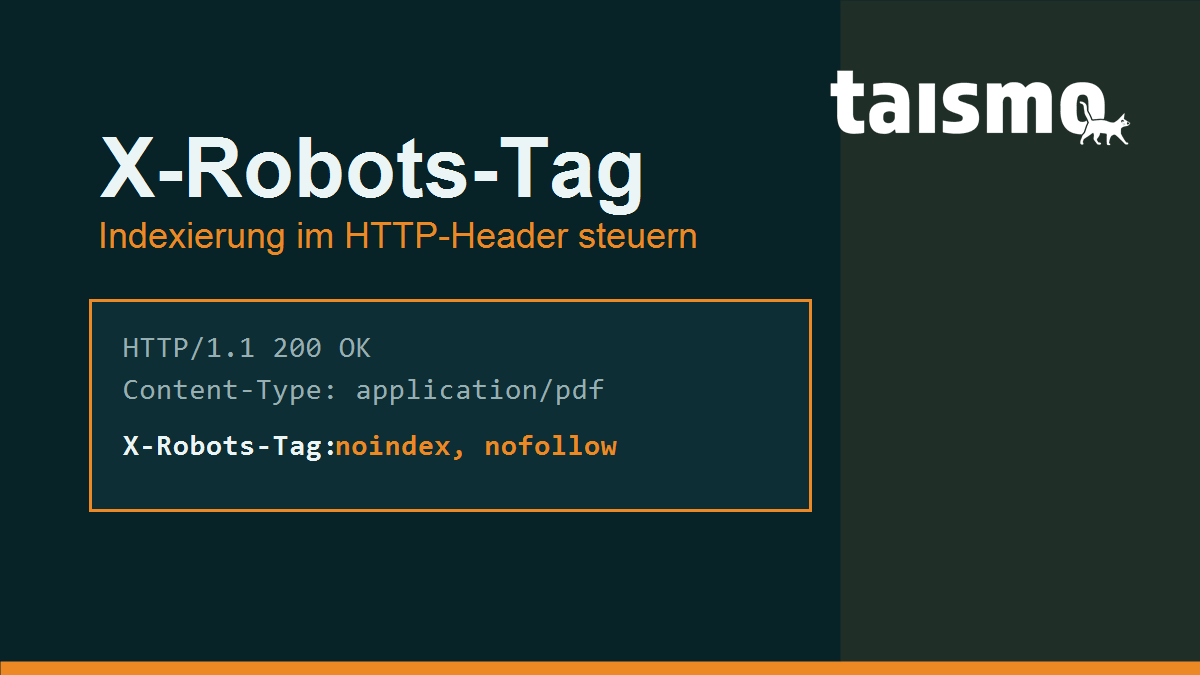
Because the directive is located in the HTTP header on the server side, the X-Robots tag comes into play precisely where the classic robots meta tag reaches its limits: for files without an HTML structure and for rules that are intended to apply to entire directories or file types at once. It is therefore a key tool for technical indexing control.
Brief Overview of the Term
| Characteristic | Specification |
|---|---|
| Category | HTTP Response Headers for Indexing Control |
| Pronunciation | "ix-robots-täg" (English: X-Robots Day) |
| Applies to | All file types (HTML, PDF, images, videos, etc.) |
| Controls | Indexing & Display – Not Crawling |
| Related Terms | Robots meta tag, robots.txt, noindex, crawler |
What is X-Robots Day?
The X-Robots tag instructs search engines via the HTTP header whether and how they may index a retrieved resource and display it in search results. When the server returns a file, it sends a set of response headers along with the actual content. The X-Robots tag is one of these headers and conveys the same directives that are otherwise specified in HTML as <meta name="robots"> would set.
A typical response header for a PDF file that should not appear in the index looks like this:
HTTP/1.1 200 OK
Content-Type: application/pdf
X-Robots-Tag: noindex
The key advantage: This directive does not require any HTML source code. That is precisely why the X-Robots tag is the only way to specifically exclude non-HTML resources—such as PDF documents, images, or videos—from the Google index. For such files, you cannot include a meta tag in the header section, but you can use an HTTP header. The prerequisite is always that a search engine is allowed to retrieve the file in the first place—only then will it read the header.
X-Robots tag, Robots meta tag, or robots.txt—which one controls what?
These three tools function at different levels: The robots.txt file controls crawling (access), while the X-Robots tag and the Robots meta tag control indexing (inclusion in the index). Confusing these levels is one of the most common SEO mistakes of all.
- robots.txt: allows or prohibits someone from crawler access to URLs. It says nothing about indexing—one via
DisallowA blocked but linked URL can still end up in the index. - Robots meta tag: stands for
<meta name="robots">in the<head>of an HTML page and controls its indexing. Works only with HTML. - X-Robots-Tag: Conveys the same indexing directives as the meta tag, but in the HTTP header—and thus applies to any file type and, optionally, server-wide.
It's important to coordinate this with the robots.txt file: This ensures that Google can noindex- If the URL appears in the X-Robots tag, the file must be crawlable. If robots.txt also blocks the URL via Disallow, the crawler never fetches it and reads the noindex never—the page can even remain in the index. Crawl blocking and indexing prohibition are mutually exclusive. The same logic applies to the noindex attribute in HTML.
What directives does the X-Robots tag support?
The X-Robots tag supports the same directives as the Robots meta tag; multiple directives can be combined, separated by commas. The most important ones are:
| Directive | Effect |
|---|---|
noindex |
Do not include the resource in the index. |
nofollow |
Do not follow the links on the resource. |
none |
Abbreviation for noindex, nofollow. |
noarchive |
Do not display the cached version. |
nosnippet |
Do not display any text or video snippets in the search results. |
noimageindex |
Do not index images on this page. |
unavailable_after |
Do not display the resource after a specified date. |
max-snippet, max-image-preview, max-video-preview |
Limit the length or size of the preview. |
A unique feature of the HTTP header is that it can be specifically targeted at individual bots by prefixing the value with the crawler's name. This way, a rule applies only to the named bot, while other search engines are left unaffected:
X-Robots-Tag: googlebot: noindex, nofollow
X-Robots-Tag: bingbot: noindex
The Time-Controlled Directive unavailable_after is useful for time-sensitive content such as promotional pages. It expects a date, typically in ISO-8601 or RFC-822 format:
X-Robots-Tag: unavailable_after: 2026-12-31T23:59:59+01:00How do you set up X-Robots Day?
The X-Robots-Tag is configured on the server because it is part of the HTTP response. How this is done depends on the server software—the most common are Apache and Nginx. In both cases, rules can be tailored specifically based on file extensions or paths.
Under Apache If you set the header in the .htaccess or the server configuration. This example retrieves all PDF files from the index:
<FilesMatch "\.pdf$">
  Header set X-Robots-Tag "noindex, nofollow"
</FilesMatch>
Under Nginx the header is placed within a location-blocks. The following example also applies to PDF files:
location ~* \.pdf$ {
  add_header X-Robots-Tag "noindex, nofollow";
}
You can check whether the header is being sent correctly using the browser's developer tools (the "Network" tab) or with a simple command-line command. The command curl -I https://beispiel.de/datei.pdf displays the response headers, including a set X-Robots tag. Whether Google actually processes the instruction will be revealed later by the Google Search Console.
What are some typical use cases and errors?
The X-Robots tag is always the right tool when a resource should remain crawlable but not appear in the index. Typical use cases:
- PDF documents: Remove white papers, price lists, or manuals from the index without making them inaccessible.
- Image and media files: Exclude specific images or downloads from indexing.
- Internal or temporary areas: Search results pages, filter URLs, or staging directories server-wide with
noindexmarked. - Time-Sensitive Content: Promotional or event pages via
unavailable_afterautomatically remove from the results after a certain date.
The most common mistakes stem from a misunderstanding of crawling and indexing. These four mistakes come up regularly in audits:
- "noindex" plus a robots.txt block: The URL is via
Disallowblocked and at the same time carries anoindexin the X-Robots tag. Google is not allowed to retrieve the file; it sees thatnoindexnever—the page may remain in the index. - Accidental server-wide "noindex": A rule that is too broad imposes a
noindexacross the entire domain—often a header copied from the staging environment. This causes rankings to plummet across the board. - Conflicting signals: The robots meta tag and the X-Robots tag set different directives for the same URL. Google generally follows the more restrictive directive—which is hardly understandable.
- Header not delivered: A caching layer or reverse proxy filters out the header so that it never reaches the crawler. A
curl -I-Check reveals that.
Conflicts like these between crawling and indexing signals are among the standard checkpoints in an SEO audit —they reduce visibility without being apparent in the content itself.
Frequently Asked Questions About X-Robots Day
Is the X-Robots tag better than the Robots meta tag?
Neither is inherently better—they complement each other. For individual HTML pages, the meta tag is often more convenient; for non-HTML files and server-wide rules, the X-Robots tag is the only option. Both support the same directives.
Does the X-Robots tag work in conjunction with a robots.txt block?
No. Is the URL via Disallow If the file is blocked, Google does not retrieve it and never reads the X-Robots tag. For effective noindex-The file must remain crawlable.
How do I check if the X-Robots tag is set?
Using the command curl -I by clicking on the URL or via the "Network" tab in the browser's developer tools. Both display the HTTP response headers, including any X-Robots tag.
world of SEO?


