What is the X-Robots-Tag?
The X-Robots-Tag is an indexing instruction that a website returns in the HTTP response header. It works like the robots meta tag in HTML, but it can be applied to any file type, including non-HTML resources such as PDF files, images or videos that have no <head> at all. Through directives such as noindex or nofollow, the X-Robots-Tag tells search engines whether and how they may add a resource to their index.
Because the instruction sits on the server side in the HTTP response header, the X-Robots-Tag works exactly where the classic robots meta tag reaches its limit: with files that carry no HTML structure, and with rules that are meant to apply to entire directories or file types at once. That makes it a core tool for controlling indexing on the technical level.
The term at a glance
| Attribute | Detail |
|---|---|
| Category | HTTP response header for indexing control |
| Pronunciation | “ex robots tag” |
| Applies to | All file types (HTML, PDF, images, videos and more) |
| Controls | Indexing and display, not crawling |
| Related terms | Robots meta tag, robots.txt, noindex, crawler |
What does the X-Robots-Tag do?
The X-Robots-Tag tells search engines in the HTTP header whether and how they may index a requested resource and show it in the search results. When the server delivers a file, it sends a set of response headers along with the actual content, next to the HTTP status code. The X-Robots-Tag is one of those headers, and it carries the same directives you would otherwise place in the HTML as <meta name="robots">.
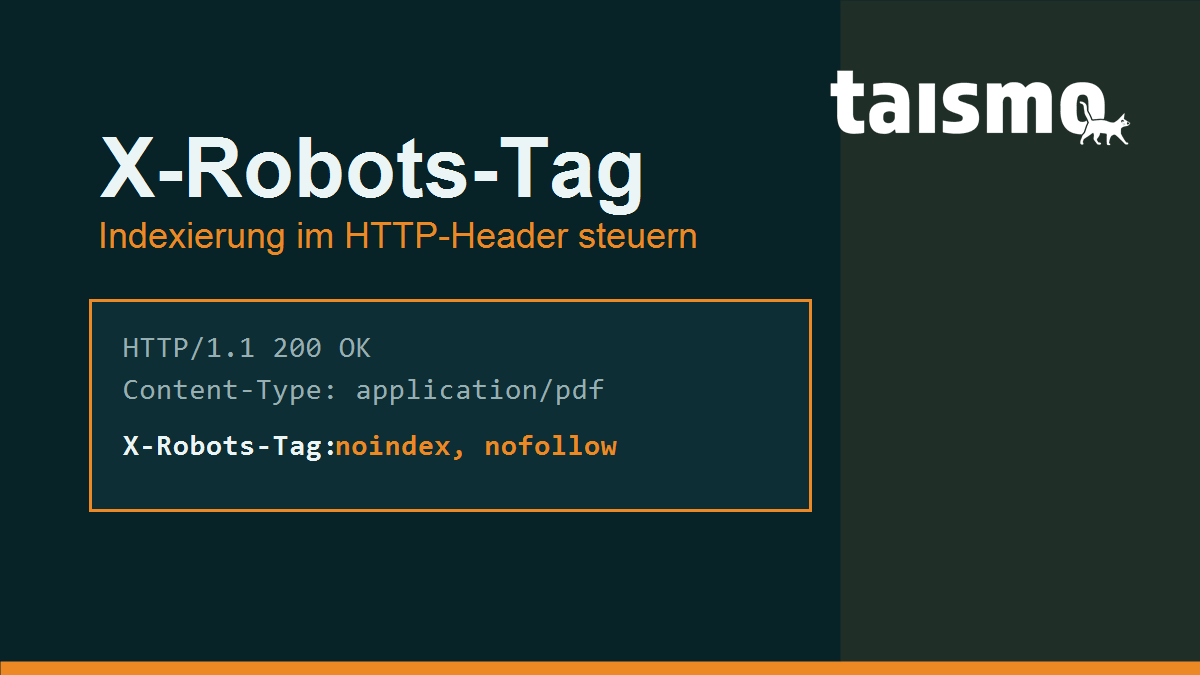
A typical response header for a PDF file that should stay out of the index looks like this:
HTTP/1.1 200 OK
Content-Type: application/pdf
X-Robots-Tag: noindex
The decisive advantage: this instruction needs no HTML source code. That is exactly why the X-Robots-Tag is the only way to keep non-HTML resources such as PDF documents, images or videos out of the Google index in a targeted way. For those files you cannot store a meta tag in the head section, but you can send an HTTP header. The condition is always that a search engine is allowed to request the file in the first place, because only then does it read the header.
X-Robots-Tag, robots meta tag or robots.txt: what controls what?
The three tools take effect at different points. The robots.txt controls crawling (access), while the X-Robots-Tag and the robots meta tag control indexing (inclusion in the index). Mixing up these levels produces one of the most common SEO mistakes there is.
- robots.txt: allows or denies a crawler access to URLs. It says nothing about indexing, so a URL blocked by
Disallowcan still end up in the index if other pages link to it. - Robots meta tag: sits as
<meta name="robots">in the<head>of an HTML page and controls the indexing of that page. It only works for HTML. - X-Robots-Tag: carries the same indexing directives as the meta tag, but in the HTTP header, and therefore for every file type and optionally server wide.
The interplay with the robots.txt is what matters here. For Google to see a noindex instruction in the X-Robots-Tag, the file has to be crawlable. If the robots.txt additionally blocks the URL with Disallow, the crawler never requests it and never reads the noindex, so the page can even stay in the index. A crawl block and an indexing ban cancel each other out. The same logic applies to the noindex attribute in HTML.
Which directives does the X-Robots-Tag support?
The X-Robots-Tag understands the same directives as the robots meta tag, and several of them can be combined in a comma separated list. These are the most important ones:
| Directive | Effect |
|---|---|
noindex |
Do not add the resource to the index. |
nofollow |
Do not follow the links on the resource. |
none |
Short form for noindex, nofollow. |
noarchive |
Do not show a cached version. |
nosnippet |
Do not show a text or video snippet in the search results. |
noimageindex |
Do not index the images on the page. |
unavailable_after |
Stop showing the resource after a set date. |
max-snippet, max-image-preview, max-video-preview |
Limit the length or the size of the preview. |
One thing is special about the HTTP header: it can be aimed at individual bots by putting the name of the crawler in front of the value. A rule then applies only to the bot you name, while other search engines are left untouched:
X-Robots-Tag: googlebot: noindex, nofollow
X-Robots-Tag: bingbot: noindex
The time controlled directive unavailable_after is handy for content with a limited lifespan, such as campaign pages. It expects a date, usually in ISO 8601 or RFC 822 format:
X-Robots-Tag: unavailable_after: 2026-12-31T23:59:59+01:00How do you set up the X-Robots-Tag?
The X-Robots-Tag is configured on the server, because it is part of the HTTP response. How that works depends on the server software, most commonly Apache or Nginx. In both cases the rules can be cut to fit file extensions or paths.
On Apache you set the header in the .htaccess file or in the server configuration. This example takes all PDF files out of the index:
<FilesMatch "\.pdf$">
  Header set X-Robots-Tag "noindex, nofollow"
</FilesMatch>
On Nginx the header is set inside a location block. The following example again refers to PDF files:
location ~* \.pdf$ {
  add_header X-Robots-Tag "noindex, nofollow";
}
Whether the header is actually delivered can be checked in the developer tools of your browser (the “Network” tab) or with a single command line call. The command curl -I https://example.com/file.pdf shows the response headers including an X-Robots-Tag if one is set. Whether Google really processes the instruction shows up later in the Google Search Console.
Which use cases and mistakes are typical?
The X-Robots-Tag is the right tool whenever a resource should stay crawlable but should not appear in the index. Typical use cases:
- PDF documents: take white papers, price lists or manuals out of the index without making them inaccessible.
- Image and media files: exclude individual images or downloads from indexing in a targeted way.
- Internal or temporary areas: put a server wide
noindexon search result pages, filter URLs or staging directories. - Content with an end date: remove campaign or event pages from the results automatically after a cut-off date using
unavailable_after.
The most frequent mistakes come from confusing crawling with indexing. These four show up in audits again and again:
- noindex plus a robots.txt block: the URL is blocked by
Disallowand carries anoindexin the X-Robots-Tag at the same time. Google is not allowed to request the file, never sees thenoindex, and the page may well stay in the index. - An accidental server wide noindex: a rule that is too broad puts a
noindexacross the whole domain, often a header carried over from the staging environment. Rankings then collapse across the board. - Contradictory signals: the robots meta tag and the X-Robots-Tag set different directives for the same URL. Google usually follows the more restrictive instruction, but the outcome is hard to trace.
- The header is not delivered: a caching layer or reverse proxy strips the header out, so it never reaches the crawler. A
curl -Icheck exposes that.
Exactly these conflicts between crawling and indexing signals are among the standard checkpoints in an SEO audit, because they cost visibility without being visible in the content.
Frequently asked questions about the X-Robots-Tag
Is the X-Robots-Tag better than the robots meta tag?
Neither is better in principle, they complement each other. For individual HTML pages the meta tag is often more convenient, while for non-HTML files and server wide rules the X-Robots-Tag is the only option. Both support the same directives.
Does the X-Robots-Tag work together with a robots.txt block?
No. If the URL is blocked by Disallow, Google does not request the file and never reads the X-Robots-Tag. For a noindex instruction to take effect, the file has to stay crawlable.
How do I check whether the X-Robots-Tag is set?
With the command curl -I against the URL, or through the network tab of your browser developer tools. Both show the HTTP response headers including an X-Robots-Tag if one is present.
More terms around crawling and indexing are collected in the SEO glossary.