

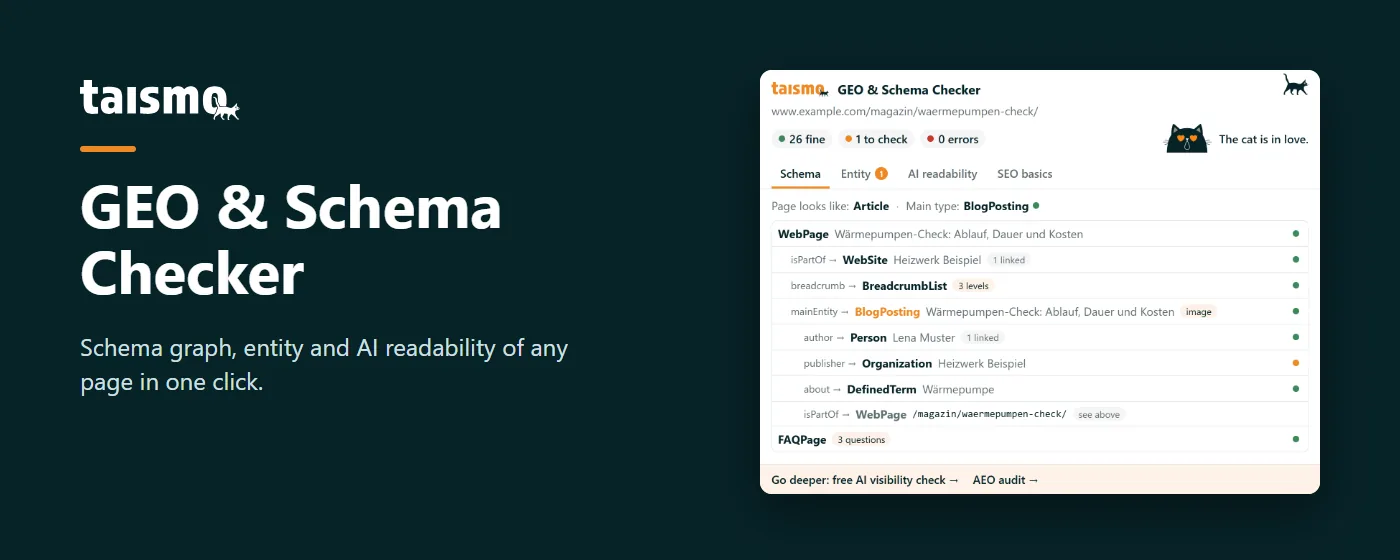
GEO & Schema Checker: Schema Markup Checker for Chrome
GEO & Schema Checker is a free Chrome extension by taismo. The schema markup checker shows in one click which structured data a page has, how its nodes connect and whether AI systems such as ChatGPT, Perplexity and Google’s AI Overviews are allowed to read the page.
One click shows what Google and AI systems read on your page.
Free, no account, no ads. Works in Chrome, Edge and Brave.
Four tabs check schema, entity, AI readability and SEO basics
GEO & Schema Checker rates every finding with a three-level traffic light, from fine through check to error. The count sits at the top, with four tabs below:
- Schema: Every JSON-LD block as a tree, with the main type and a rating for each node.
- Entity: Organization and author, references to knowledge bases, identifiers and profiles.
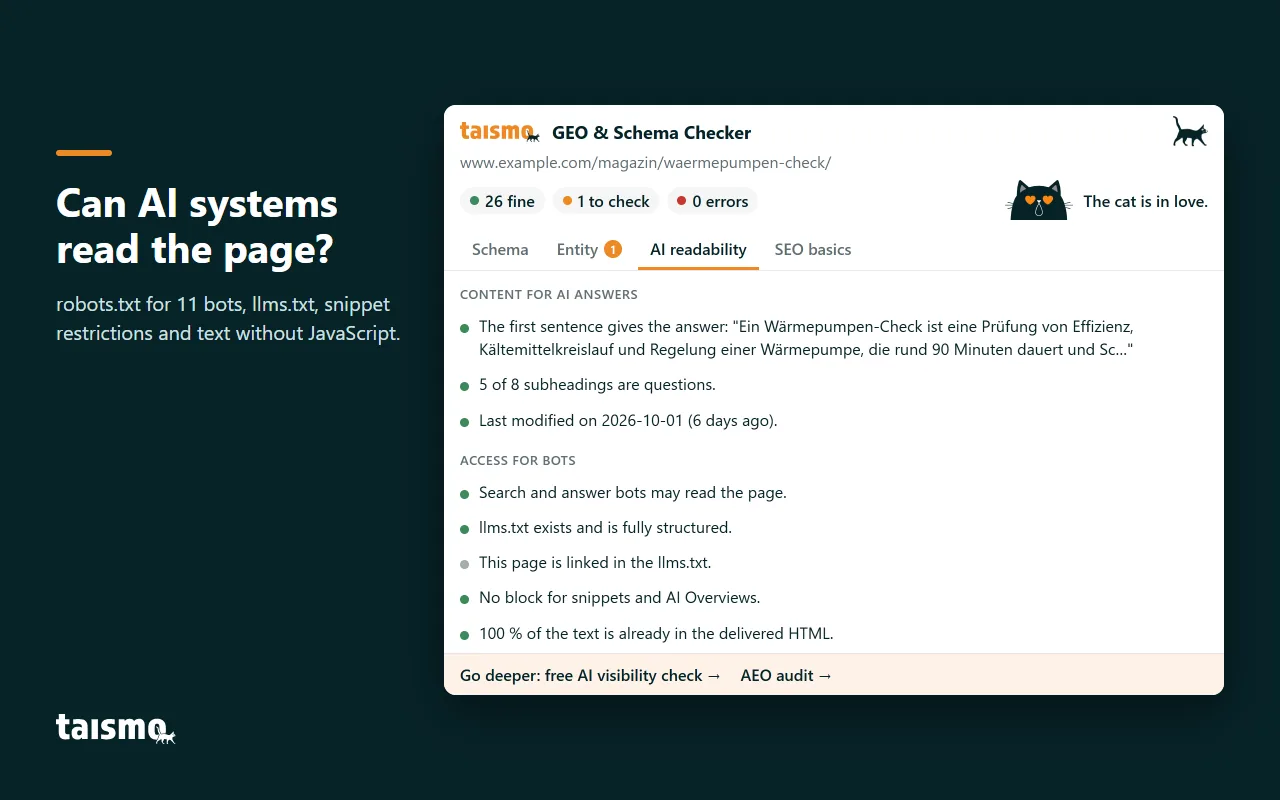
- AI readability: Answer in the first sentence, freshness, robots.txt for 11 search and AI bots, and llms.txt.
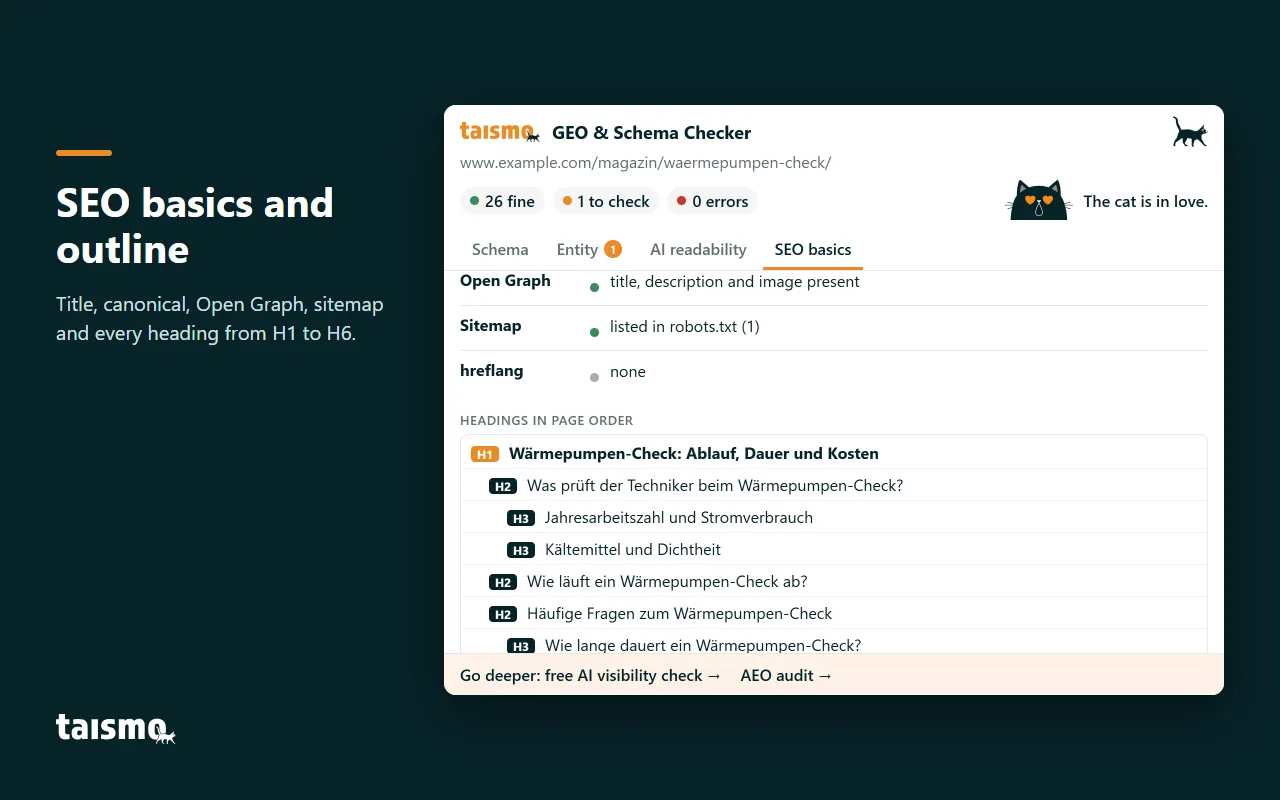
- SEO basics: Title, description, canonical, indexing, Open Graph, sitemap and every heading from H1 to H6.
The schema graph shows every node the way Google reads it
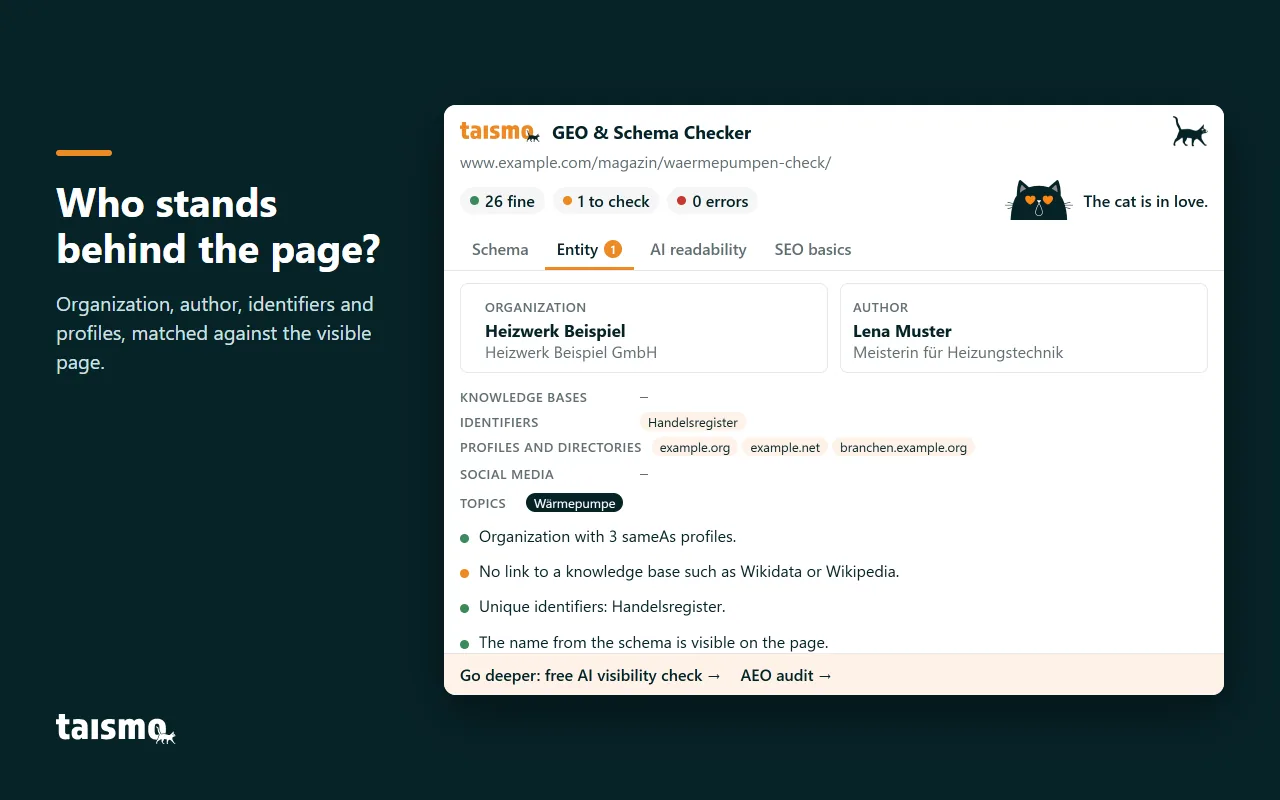
The schema markup checker merges all JSON-LD blocks on a page. Nodes that share an @id become one node, just as Google processes them. The result is a tree: The page sits at the top, followed by the main type, author, breadcrumbs and every other node. Organization, person and website stay collapsed and open with a click.
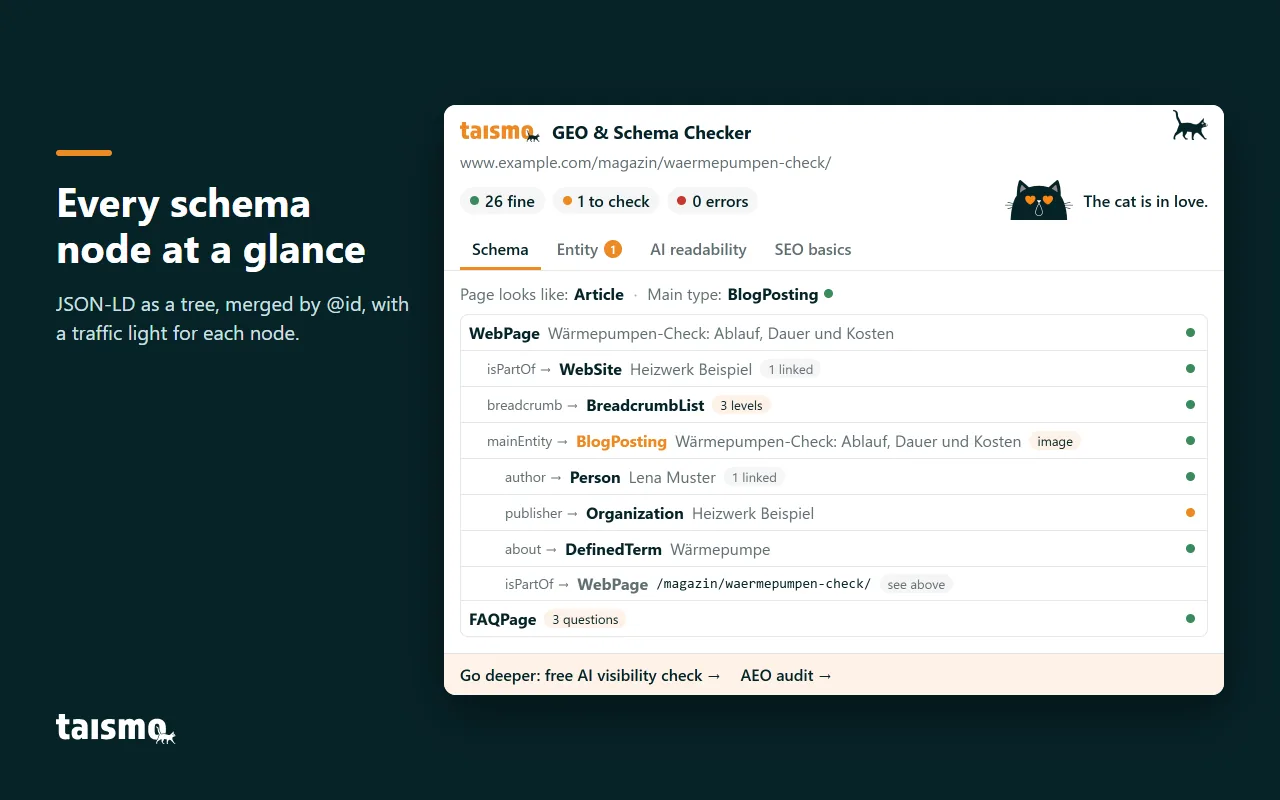
Four common schema errors stand out instantly
- Types that do not exist in schema.org
- Articles without an author or publication date
- FAQ questions in the markup that are not visible on the page
- Two sources delivering conflicting lists under the same @id
Click any node to see its fields, its references and the raw JSON. For a deeper look, two links open Google’s Rich Results Test and the Schema Markup Validator directly. How schema markup works in general is covered in our schema markup guide.
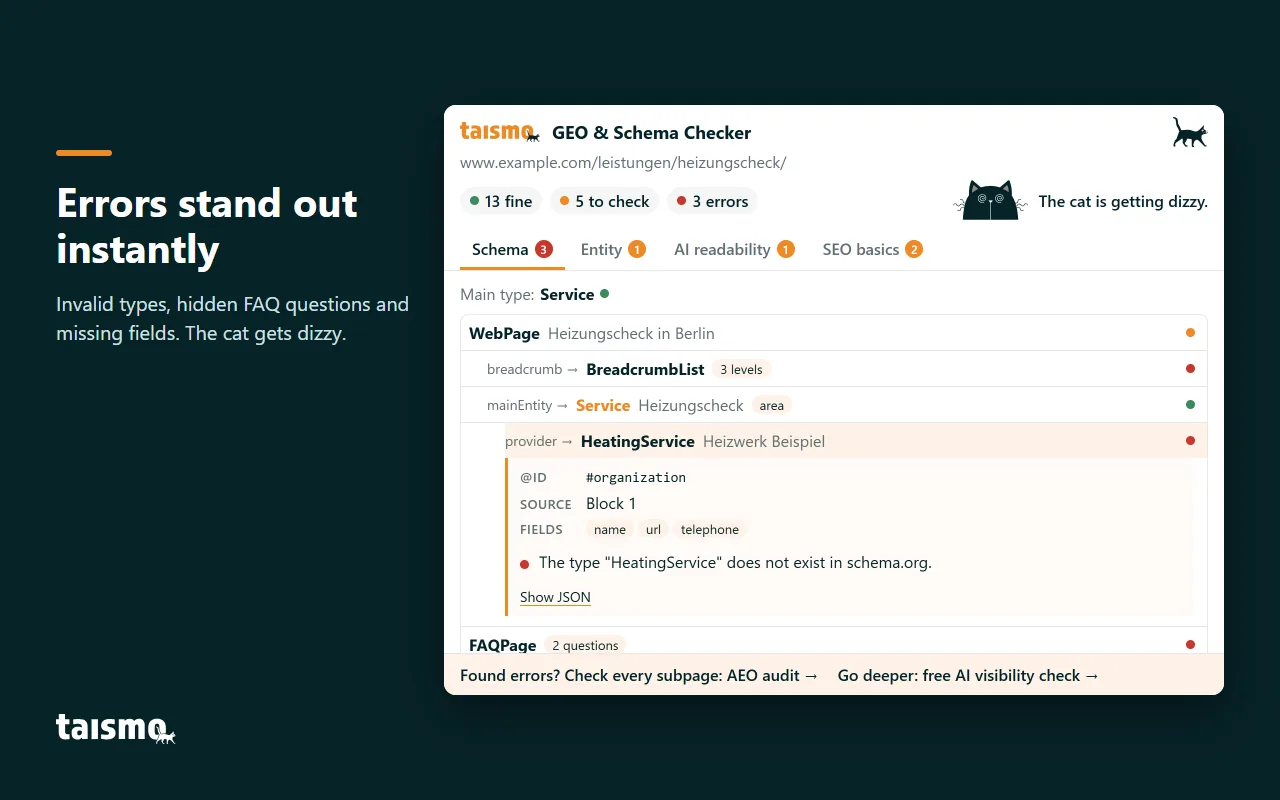
The entity check matches the schema against the visible page
AI systems recommend companies they can identify without doubt. The Entity tab shows who stands behind a page and how firmly that entity is anchored. The checker distinguishes four kinds of anchors: knowledge bases such as Wikidata, identifiers such as ISNI or the commercial register, profiles in directories and profiles on social networks.
The checker also matches three details between the schema and the page: name, phone number and address. If these details differ, the page contradicts itself. AI systems avoid sources like that.
AI readability covers bots, llms.txt and text without JavaScript
A page can only be cited if AI systems are allowed to fetch and understand it. That is the core of answer engine optimization (AEO), also called generative engine optimization or GEO. The AI readability tab checks five points:
- robots.txt for 11 bots: Googlebot, Bingbot, OAI-SearchBot, ChatGPT-User, PerplexityBot and Claude-SearchBot for search and AI answers, plus the training bots GPTBot, ClaudeBot, Google-Extended, Applebot-Extended and CCBot.
- llms.txt: Whether an llms.txt file exists, whether it is complete and whether the checked page is listed in it.
- Snippet restrictions: The directives nosnippet and max-snippet:0 keep a page out of Google’s AI Overviews.
- Text without JavaScript: How much of the content is already in the delivered HTML. Many AI crawlers do not run JavaScript.
- Content: Whether the first sentence delivers the answer, how many subheadings are questions and when the page was last modified.
SEO basics show the metadata and outline of any page
The SEO basics tab sums up what every page needs for search engines: title and description with character count, H1, language, canonical, indexing, Open Graph, sitemap and hreflang. Below, every heading from H1 to H6 appears in page order. The checker flags skipped levels and empty headings.
Every check runs entirely in your browser
GEO & Schema Checker sends no data to taismo or to third parties. The extension needs no account and only two permissions: access to the tab you are checking, and running the check in that tab. That is why the checker also works on pages behind a login and on previews that are not published yet.
The cat sums up the result
A cat sits next to the count. Its face follows the traffic lights of the check:
- In love: The page is cleanly marked up.
- With a magnifying glass: Several points deserve a second look.
- Dizzy: The page has errors.
- Upside down: The page cannot be checked, for example a browser page or a PDF.
After a check, the icon in the Chrome toolbar shows the cat’s face as well, together with the number of errors if there are any.
For the whole website: the AI visibility check and the AEO audit
GEO & Schema Checker checks the page that is open in your browser. A page plus its subpages is covered by the free AI visibility check. A review of every subpage with prioritized actions comes with the AEO audit by taismo.

taismo, the SEO and GEO agency from Munich, built GEO & Schema Checker. We work with structured data every day, help our clients gain visibility in AI answers and use the checker on our own pages too.
Install GEO & Schema Checker
Free, no account, and every check runs entirely in your browser.
Frequently asked questions about GEO & Schema Checker
Is GEO & Schema Checker free?
Yes. The extension is free, needs no account and shows no ads.
What data does the extension send?
The extension sends no data. The check runs entirely in your browser and only fetches files from the website you check, such as the page itself, its robots.txt and its llms.txt.
Which permissions does GEO & Schema Checker need?
The checker needs two permissions: With activeTab it accesses the tab you are checking, and with scripting it runs the check in that tab. Without your click, the extension reads no page.
Which browsers does GEO & Schema Checker work in?
The checker works in Google Chrome and in browsers that can install extensions from the Chrome Web Store, such as Microsoft Edge and Brave.
How is this schema markup checker different from the Rich Results Test?
The Rich Results Test checks whether a page qualifies for Google’s rich results. GEO & Schema Checker shows every node in context, adds entity and AI readability checks, and also works on pages behind a login.
What do the traffic light colors mean?
Green means fine, orange means check, red means error. Gray marks notes without a rating.
